
IPTV Keeps Freezing? 7 Fixes to Stop It in 2026
IPTV freezing means the stream is reaching you but not smoothly. It comes down to your connection, Wi-Fi, DNS, app cache or the provider. Here is how to fix each.
IPTV freezing means the stream is reaching you but not smoothly. It comes down to your connection, Wi-Fi, DNS, app cache or the provider. Here is how to fix each.
Key takeaways
- Most IPTV freezing is fixed by a wired connection, faster DNS and a bigger app buffer.
- Freezing means an unstable connection - test stability and reboot the router, not just speed.
- If it still freezes at peak time on a good connection, the providerx27s servers are overloaded.
IPTV freezing — where the picture locks up, pixelates or stutters every few seconds — is frustrating but almost always fixable at home. Unlike a total black screen, freezing means the stream is reaching you, just not smoothly. That points to five usual suspects: an unstable connection, weak Wi-Fi, ISP throttling, an overloaded app cache, or a provider whose servers buckle under load. Work through the fixes below and your IPTV will hold a steady picture again.
Why IPTV keeps freezing
Live IPTV has almost no buffer — it plays frames the instant they arrive. When your connection dips for even a second, the player runs out of frames and the picture freezes or breaks into blocks. This is why IPTV freezing is worst on live channels during a big match, when both your home network and the provider’s servers are under the most strain. Fix the stability of the connection, and the freezing stops.
1. Test your connection stability, not just speed
A fast line that drops packets still freezes. Run a speed test on the streaming device — you want 10 Mbps for HD and 25 Mbps for 4K — but also reboot your router to clear a flaky connection. If numbers swing wildly between tests, your line is unstable and that instability is what freezes IPTV.
2. Go wired instead of Wi-Fi
Wi-Fi is the single biggest cause of IPTV freezing. It shares bandwidth, drops packets and weakens through walls. Running an Ethernet cable to your Firestick, box or Smart TV fixes more freezing than any other step. If a cable is impossible, move onto the 5 GHz band, sit closer to the router, and keep the device clear of microwaves and thick walls.
3. Change your DNS
The default DNS from your ISP is often slow and is sometimes used to throttle streaming. Switching your device or router to Cloudflare (1.1.1.1) or Google (8.8.8.8) smooths playback and speeds up channel changes. It is a two-minute change and completely reversible.
4. Lower the stream quality or raise the buffer
If your connection simply cannot hold 4K, drop the channel to HD or SD in your app — a stable HD picture beats a frozen 4K one. In players like IPTV Smarters or TiviMate you can also raise the buffer size so more of the stream pre-loads before playback, smoothing over short dips.
5. Clear the app cache
A bloated or corrupted cache causes stutter and freezing over time. On Firestick go to Settings → Applications → Manage Installed Applications, pick your player and Clear Cache. Restart the app afterwards. This clears the junk that builds up and slowly degrades playback.
6. Stop ISP throttling with a VPN
If your speed test looks healthy but IPTV freezes every evening, your ISP is likely throttling streaming during peak hours. A reputable VPN hides the traffic and often restores a smooth picture. Our guide on bypassing ISP blocks covers the best options for streaming.
When IPTV freezing is the provider, not you
The honest truth other guides skip: if your speed is good, you are wired in, your DNS is fixed, and it still freezes every night at peak time, the fault is the provider’s servers. Cheap, oversold services cannot handle everyone tuning into the same match, so the stream breaks up no matter what you do at home. A provider running load-balanced, anti-freeze 4K servers like iBoostv is built to hold a steady picture exactly when weaker services collapse. If you have done everything above and still freeze, the fix is a better network.
Still freezing? Quick checklist
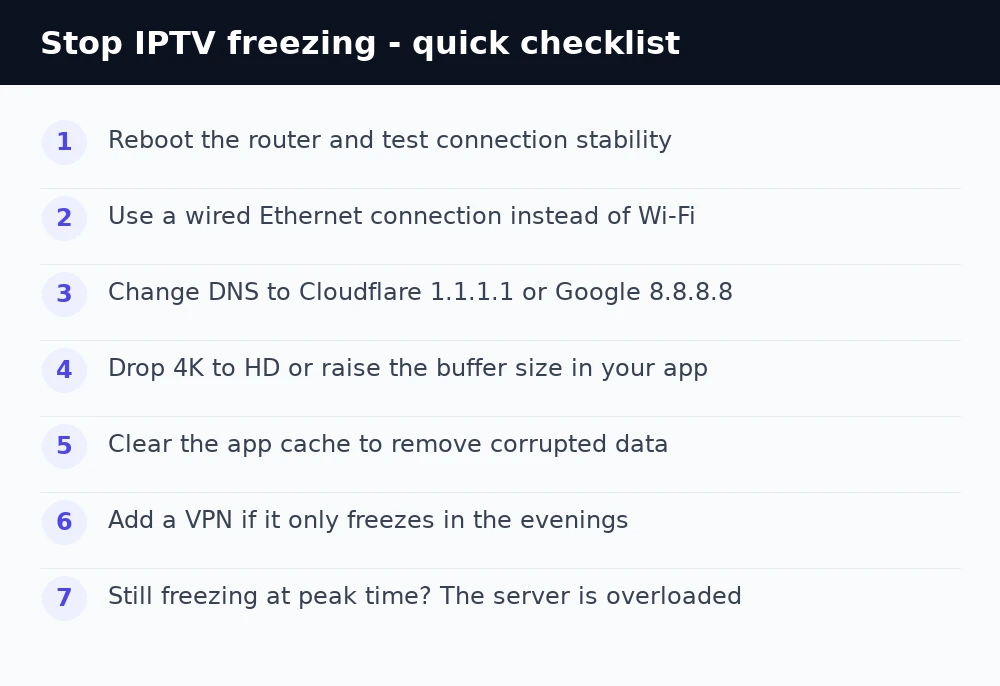
Reboot the router, plug in an Ethernet cable, switch DNS to 1.1.1.1, drop to HD or raise the buffer, clear the app cache, and add a VPN if evenings are worst. If none of it holds during peak time, it is the server — move to a provider built for live 4K. For more help see our IPTV troubleshooting hub and the guide to fixing IPTV buffering.
Enjoying iBoostv? Get it for free.
Share your referral link and earn a free month for every person who subscribes. No limit — refer enough people and your subscription pays for itself.
Start earning free monthsFrequently asked questions
Why does my IPTV keep freezing?
Freezing means your connection briefly drops the stream. The usual causes are weak Wi-Fi, slow DNS, ISP throttling, a corrupted app cache, or an overloaded provider.
How do I stop IPTV from freezing?
Use a wired Ethernet connection, switch DNS to 1.1.1.1, clear the app cache, and lower 4K to HD. If it only freezes in the evening, add a VPN to beat throttling.
Why does IPTV freeze only during live sport?
Everyone tunes into the same match at once, straining both your network and the provider. A provider with load-balanced, anti-freeze servers handles the crowd; a cheap one breaks up.
Does a VPN stop IPTV freezing?
It can, if your ISP throttles streaming during peak hours. A VPN hides the traffic and often restores a smooth picture in the evenings.
