Free Popular IPTV Playlist: Where to Get One and Why It Breaks
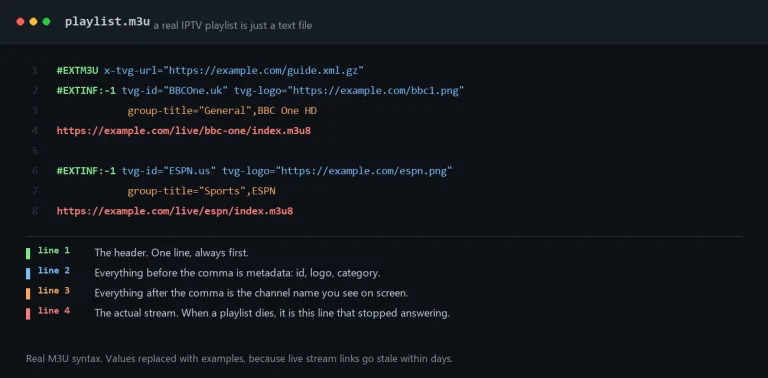
A free popular IPTV playlist is a plain text M3U file. Where the real ones live, how to load one, and why most of it stops working inside a month.

Welcome to the iBoostv blog — your hub for practical IPTV guides, setup tutorials and troubleshooting in 2026. Whether you are fixing IPTV buffering, stopping the picture from freezing, setting up a new device, or choosing the best 4K IPTV subscription, every article here is clear, tested and step-by-step.New here? Start with our IPTV troubleshooting hub to fix any problem fast, or the complete beginner’s guide to get streaming on Firestick, Smart TV, Android or Kodi in minutes.
A free popular IPTV playlist is a plain text M3U file. Where the real ones live, how to load one, and why most of it stops working inside a month.
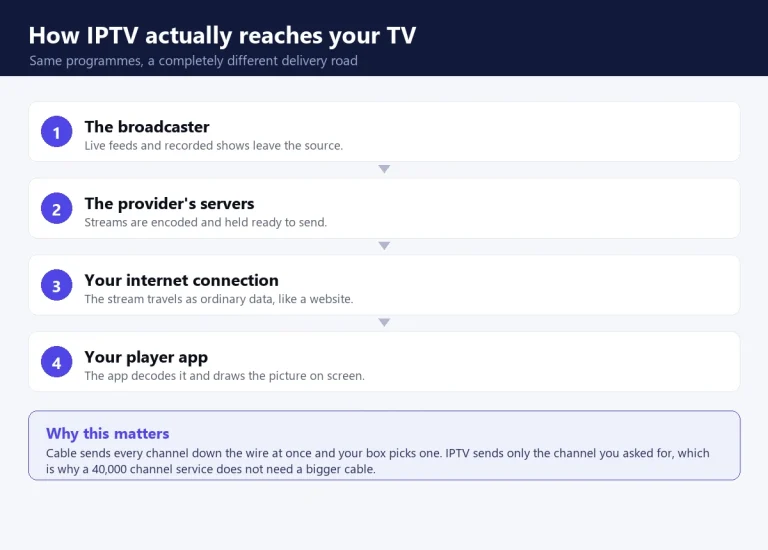
IPTV is television delivered over your internet connection instead of a cable or a dish. What it is, what it costs, and what it cannot do.
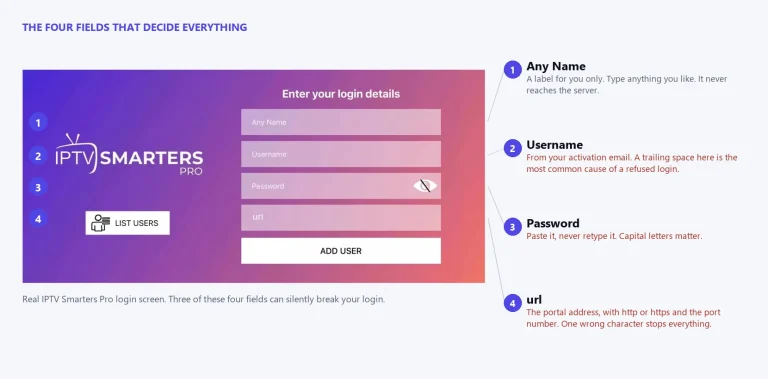
IPTV Smarters Pro holds no channels of its own. What it really does, what a working line costs, and the 6 errors that break it.
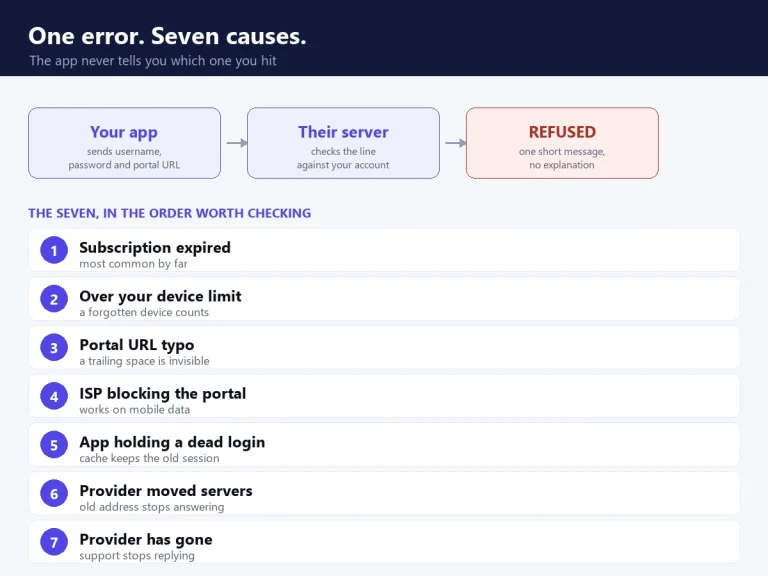
iBoostv · Troubleshooting The error means the server refused your login, not that you typed it wrong. Find which of the 7 causes you have in 2 minutes, then fix that one. Updated 20267 causes coveredFirestick, Android TV, iOS IPTV…
A 4K IPTV subscription gives Australian viewers the full AFL and NRL on Fox Footy and Fox League, plus cricket and Foxtel channels, for a fraction of a Foxtel and Kayo bill.
A 4K IPTV subscription gives Canadian viewers every TSN and Sportsnet feed and all the NHL hockey, plus CBC, CTV and Global, for a fraction of a Bell or Rogers bill.
A 4K IPTV subscription gives UK viewers Sky Sports, TNT Sports and the full Premier League, plus BBC and ITV, for a fraction of a Sky or Virgin bill. Here is how it works.
A 4K IPTV subscription gives US viewers the major American networks, every live sport and 200,000+ movies for a fraction of cable. Here is what you get and how to set it up.
Every common IPTV problem and its fix in one place - buffering, freezing, black screens, no channels and EPG - plus how to tell when the fault is your provider, not you.
IPTV EPG not working means the guide is broken while channels still play. It comes down to the EPG URL, time zone, stale data, an app setting or your provider.
