
Pick your device below and follow the exact steps to install IPTV Smarters Pro and start streaming — Firestick, Android, iOS, Smart TV, MAG, Roku and more, in about five minutes.
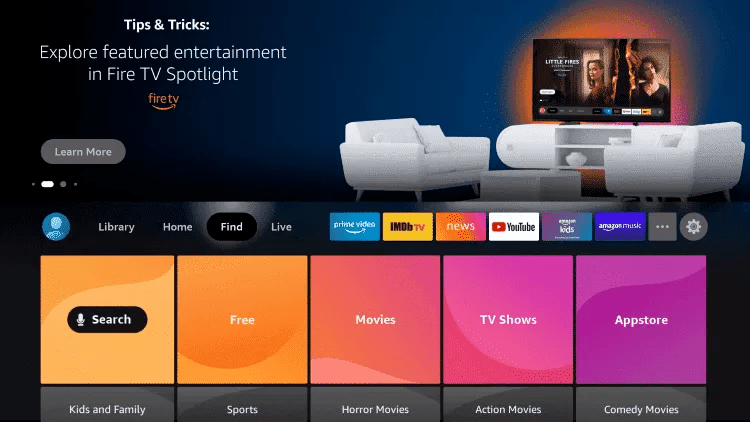
Get your IPTV subscription1: From the home screen of your device, hover over the Find option.
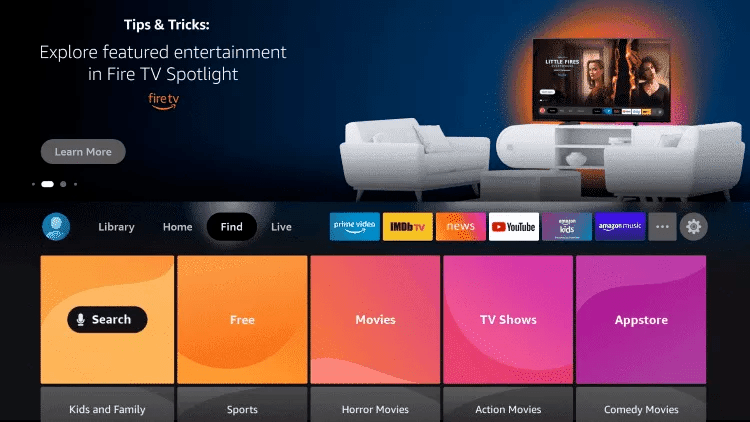
2. Click Search.
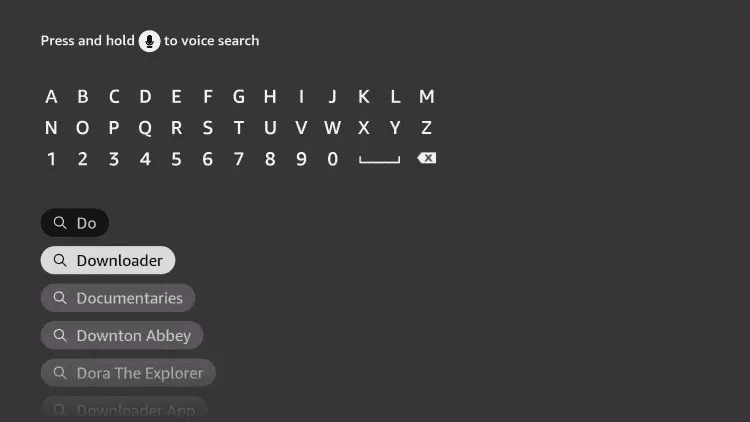
3. Search for and select Downloader.
4. Choose the Downloader app.
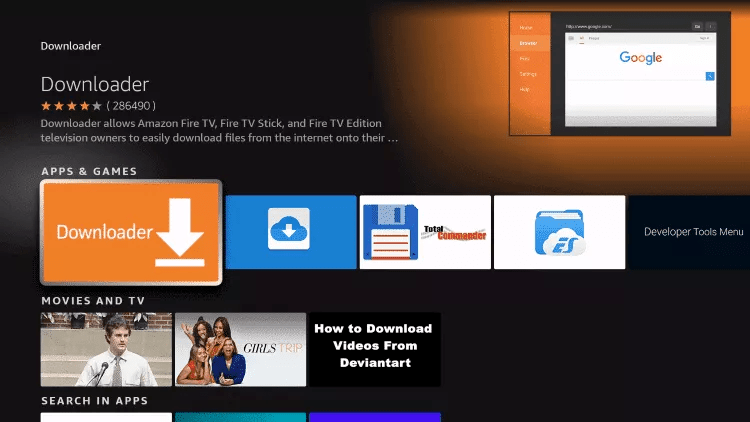
5. Click Download.
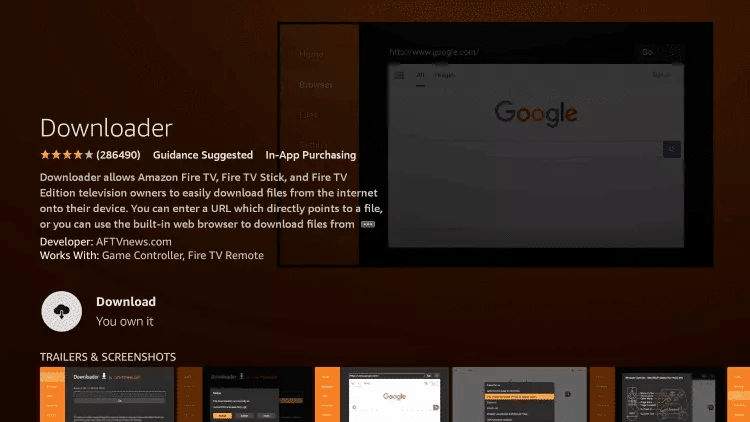
6. Once the app finishes installing click Open.
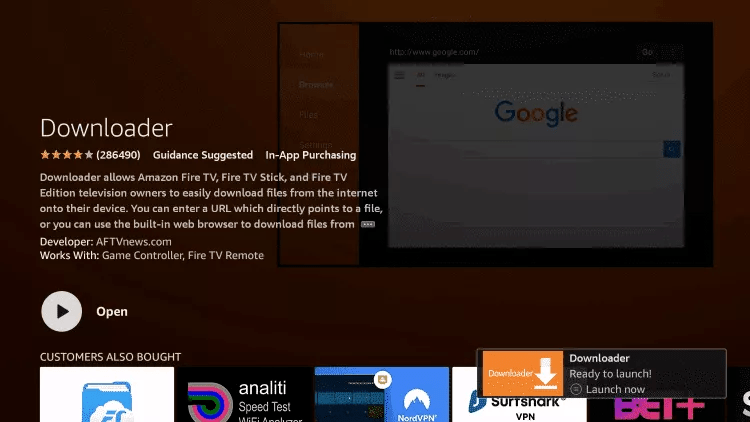
7. Return to the home screen and open Settings.
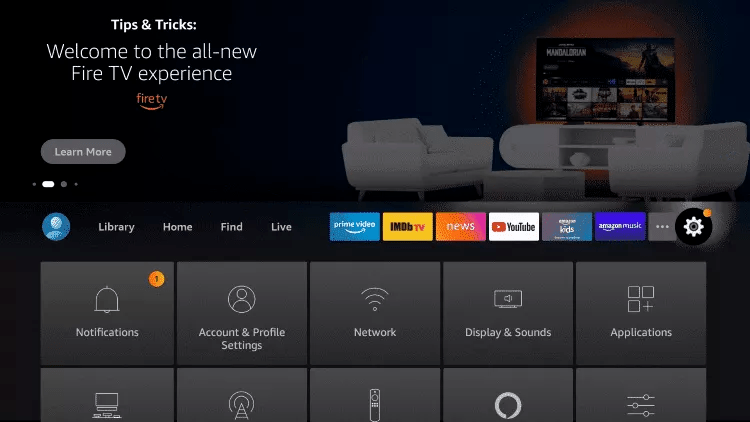
8. Click My Fire TV.
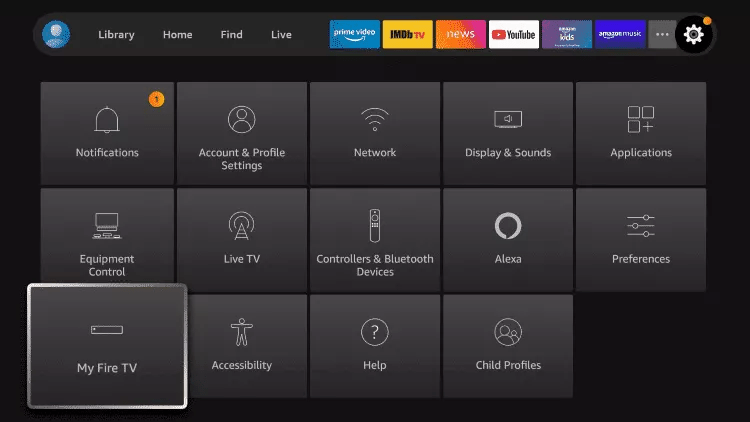
9. Choose Developer options.
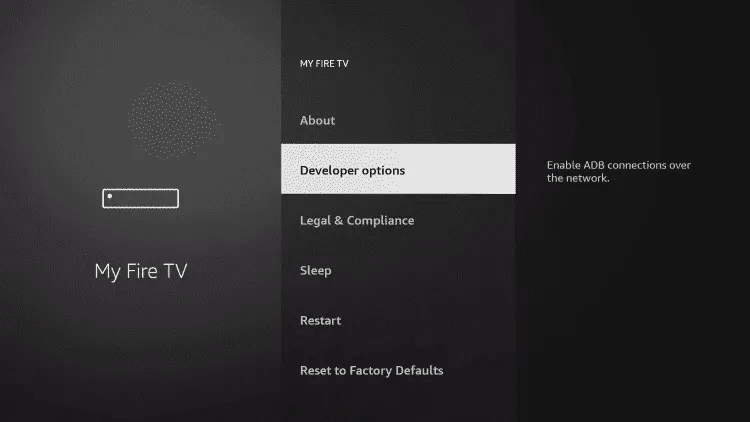
10. Click Install unknown apps.
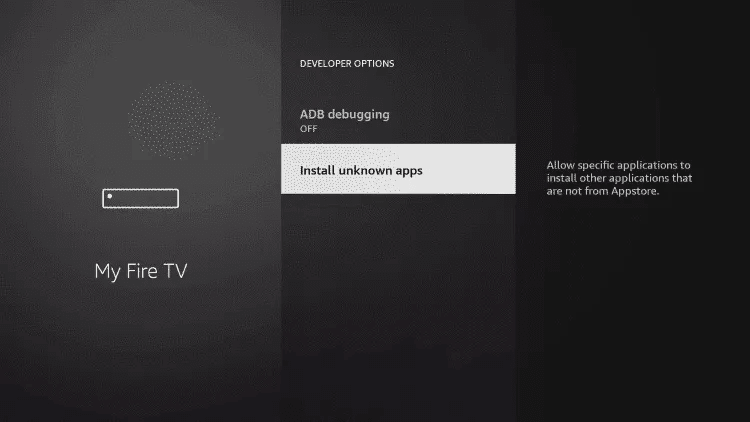
11. Find the Downloader app and click it.
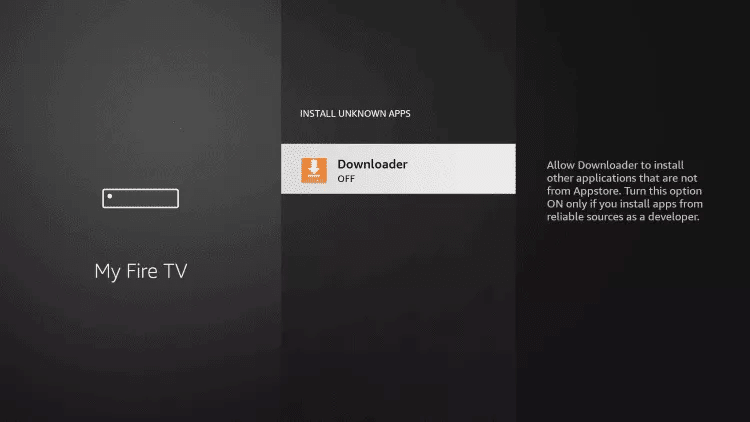
12. This will turn Unknown Sources to On for the Downloader app. This will enable side-loading on your device.
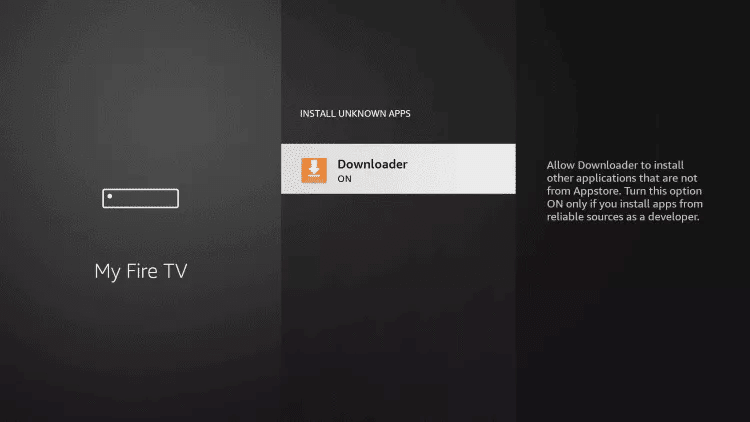
13. Launch Downloader.
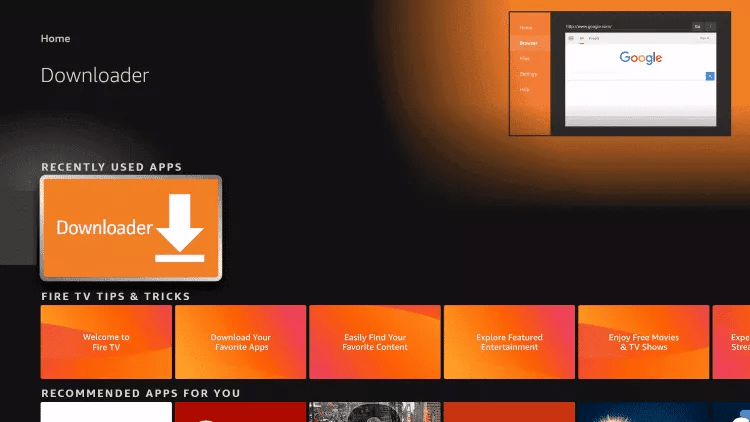
14. Click Allow.
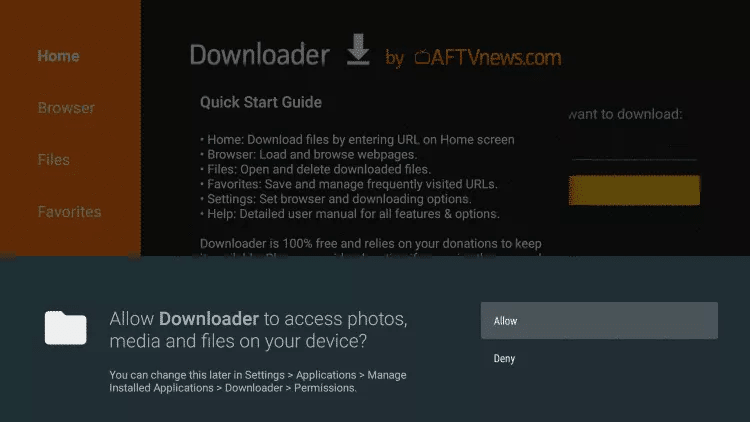
15. Click OK.
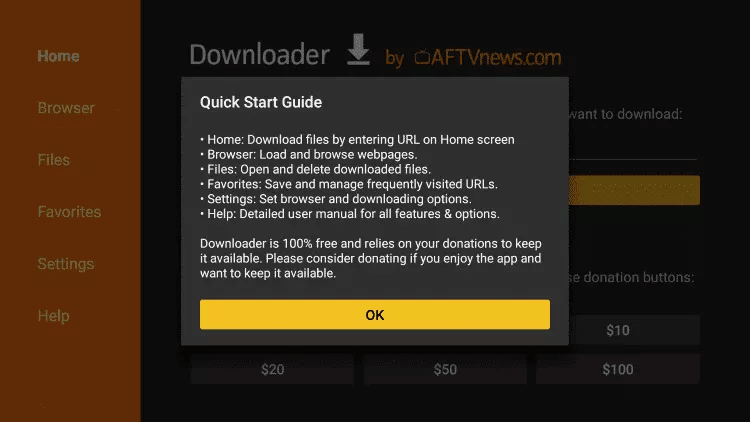
16. Type the following URL exactly as shown here: 78522 Then click Go.
17. Wait for file to download.
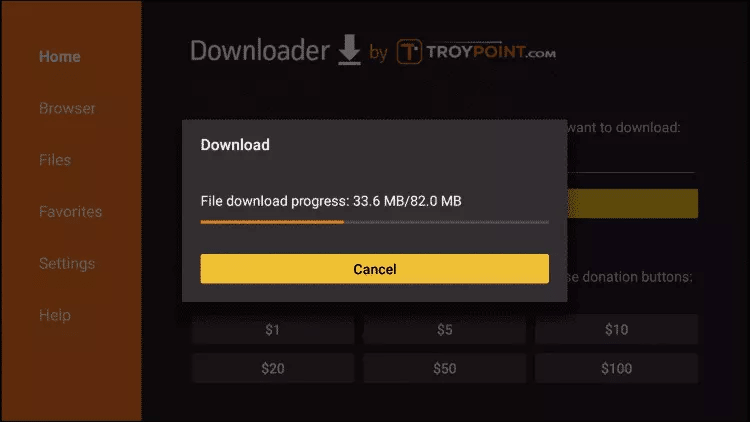
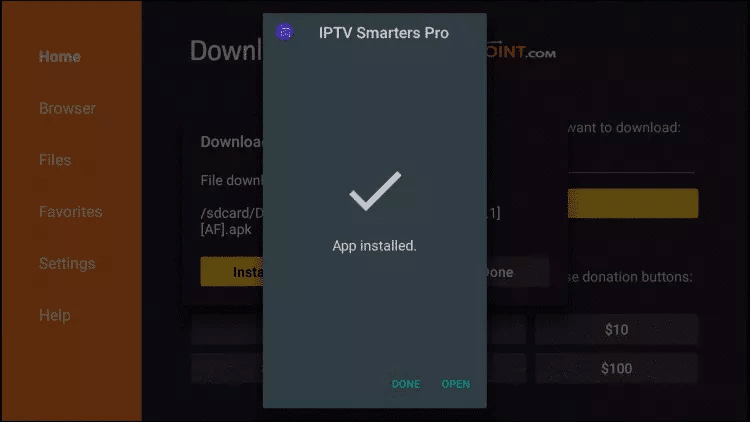
18. Click Install.
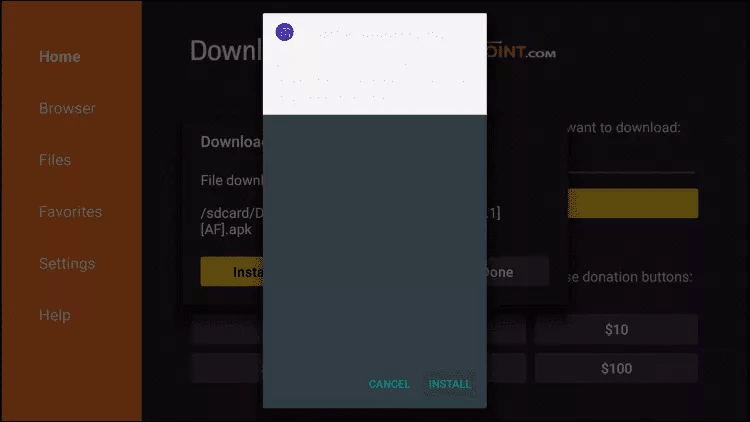
19. Click Done.
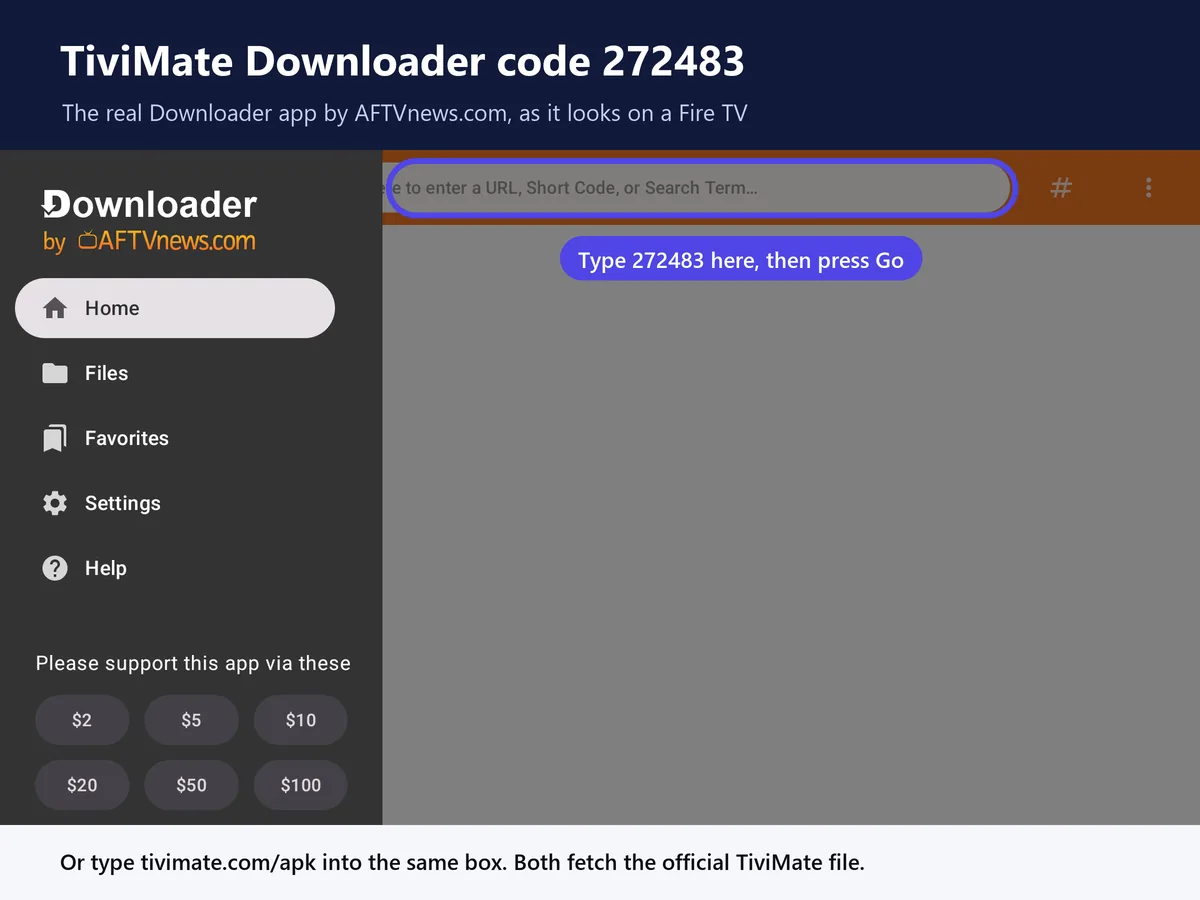
1. Type the official TiviMate Downloader code exactly as shown here: 272483
and click Go.
2. Wait for file to download.
Wait for the file download to finish
3. Click Install and once the installation is completed. You can open the app.
4. Click “Add Playlist” then choose “Xtream codes“
5. Enter the login details that we sent you via Email. Please make sure you read the email we send correctly.
The app is only half of it
IPTV Smarters is empty until you add a service.
The app installs free, but it needs a subscription with an M3U or Xtream Codes login before a single channel appears. Here is ours.
Just testing? Start with 1 month — $13.99
14-day money-back guarantee
4K quality · 1–4 connections · Works on Firestick, Smart TV, Android, iOS, Mag & Roku
Instructions to Download and Set Up IBO Player
1 . Open the Downloader app on your device.
2. Enter the code 481220 in the search bar and click Go.
3. Once the download is complete, click Install, then click Open.
4. Send us the following information Via whatsapp or telegram to add your IPTV to your ibo player pro app:
- MAC Address
- Device Key
- Your Email Address
We'll handle the rest!
Step 1: Start by downloading IPTV Smarters app from the Apple Store through this URL :
https://apps.apple.com/in/app/smarters-player-lite/id1628995509
or you can search for it on App store
install the app on your IOS device.
Step 2: Open the app once downloaded and Enter the login details.
Step 3: Enter the login details that we have provided you after you get a subscription with us
Now Click on “ADD USER” to proceed to the next section.
Step 4: Wait some seconds.
Step 5: Now click on “Live TV” icon as depicted in the image via a red arrow.
Step 6: Now you must select the channel group that you want to watch and proceed to the next section.
Step 7: Now you must click on the channel name and then double click on the small screen to turn into full screen as the final step.
Step 8: To add EPG no need to add any EPG url, Just click on “Install EPG” .
Done
Seeing an error instead of your channels? Read our fix for IPTV Smarters failed to authorize.
Step 1: You can download SetIPTV / NetIPTV / Smart IPTV from your TV store on Samsung, LG …
Step 2: After the installation, open the app the you will find MAC Address on screen
EX :
Step 3: Send us the MAC address via Whatsapp/Email/Live Chat
Step 4: After few minutes, restart/reboot your TV and Open the app
Done
Download IPTV Smarters app through this URL : https://www.iptvsmarters.com/download?download=windows
Download IPTV Smarters app through this URL : https://www.iptvsmarters.com/download?download=mac
Step 1: Send us the MAC Address of your MAG via Whatsapp/Email/Live Chat
Step 2: After making the payment, we will send you the portal link
📺 Setup iBoostv on Roku with iBO Player Pro
1️⃣ Install iBO Player Pro from the Roku Channel Store, here's the app
https://channelstore.roku.com/details/8bb2a96953173808e85902295304a2e1:8490a219fcbeecc63b4cc16b6ba9be93/ibo-player-pro
2️⃣ Launch the app. Copy the MAC address and Device Key shown.
3️⃣ Send us on whatsapp or telegram :
* MAC adddress
* Device Key
* Email address
4️⃣ We’ll add your iBoostv IPTV playlist to iBO Player Pro and confirm once it’s ready.
IPTV Smarters Pro is just the player. Add an iBoostv subscription to stream 40,000+ live channels, every major sport and 200,000+ movies in 4K — 14-day money-back.
The app itself is free to download. To watch, you need an active IPTV subscription — the app is only the player.
Amazon Firestick, Android, Apple iOS, Samsung and LG Smart TVs, MAG, Formuler, Roku and Windows or Mac.
Choose Xtream Codes / API login and enter the username, password and server URL from iBoostv, or load an M3U playlist.
Yes. IPTV Smarters Pro includes no channels — add an iBoostv plan to get 40,000+ channels, movies and live sports.
Check your subscription is active, your internet is stable and your login details are correct. Support is available 24/7.
