
IPTV EPG Not Working? 5 Fixes for a Blank TV Guide (2026)
IPTV EPG not working means the guide is broken while channels still play. It comes down to the EPG URL, time zone, stale data, an app setting or your provider.
IPTV EPG not working means the guide is broken while channels still play. It comes down to the EPG URL, time zone, stale data, an app setting or your provider.
Key takeaways
- Most IPTV EPG not working cases are a missing EPG URL or a wrong time-zone setting - fix those first.
- The EPG is a separate XMLTV file, so the guide can be blank while channels still play fine.
- If the guide stays empty with everything set right, your provider is not sending full EPG data.
When the IPTV EPG not working — the TV guide is blank, shows the wrong programmes, or the times are all off — your channels usually still play fine; it is only the guide data that is broken. That narrows it to a handful of causes: a missing or wrong EPG URL, a time-zone offset, an out-of-date guide, an app setting, or a provider that does not send full EPG. Work through the fixes below and your electronic programme guide will fill back in.
What the EPG is and why it breaks
The EPG (electronic programme guide) is the on-screen TV guide that shows what is on now and next, with programme names, times and catch-up. It is a separate data file — usually an XMLTV link — from the channel list, which is why the guide can fail while channels keep playing. When IPTV EPG is not working, the app either has no guide URL, the wrong one, or cannot match it to your channels.
1. Add or correct the EPG URL
Most players need the guide link entered separately. In your app’s EPG settings, paste the XMLTV / EPG URL your provider supplied. If you use Xtream Codes, many apps pull the EPG automatically — but if the guide is blank, add the URL by hand. Copy it exactly, with no missing characters. Our complete IPTV setup guide shows where the EPG field lives in the main apps.
2. Fix the time-zone offset
If your guide shows the right programmes but at the wrong times, it is a time-zone mismatch. In your app’s EPG or general settings, set the correct time zone or GMT offset so the listings line up with your clock. This single setting fixes the most common EPG complaint — a guide that is an hour or several hours out.
3. Refresh the EPG data
Guide data is cached and can go stale, showing yesterday’s listings or nothing at all. Look for a Refresh EPG or Update EPG option in the app and run it, or restart the app to force a fresh download. Some players only refresh the guide once a day, so a manual update brings it back quickly.
4. Check the app EPG settings
Players like TiviMate, IPTV Smarters and IBO Player each have an EPG toggle that can be switched off by accident. Make sure the EPG source is enabled and, in apps that support it, mapped to the right playlist. In TiviMate you can even add a custom EPG source if the provider’s default is thin or missing.
5. Reinstall or re-add the playlist
If the guide is still broken, delete and re-add your playlist so the app re-links the channels to the EPG, or clear the app cache. A clean re-add fixes cases where channel IDs and guide IDs have drifted apart and the app can no longer match programmes to channels.
When the EPG problem is your provider
Here is the part cheap services gloss over: if your EPG URL is correct, the time zone is set, you have refreshed and re-added the playlist, and the guide is still blank or half-empty, the provider simply is not sending a full EPG. Low-cost services often ship a thin or broken guide because proper EPG data costs them money. A provider like iBoostv supplies a complete 14-day EPG across 40,000+ channels, with catch-up, so the guide actually works. If your EPG is chronically empty, the service is the cause.
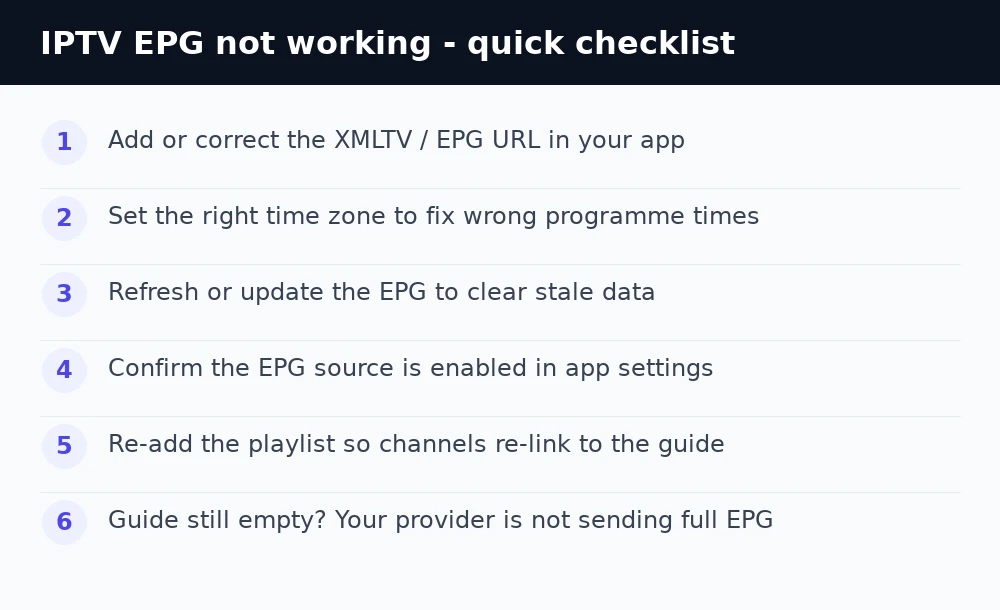
Still no EPG? Quick checklist
Add or correct the XMLTV/EPG URL, set the right time zone, refresh the guide, confirm the EPG source is enabled in the app, then re-add the playlist. If the guide is still empty with everything set right, your provider is not sending full EPG — switch to one that does. For more help see our IPTV troubleshooting hub and the guide to fixing IPTV with no channels.
Enjoying iBoostv? Get it for free.
Share your referral link and earn a free month for every person who subscribes. No limit — refer enough people and your subscription pays for itself.
Start earning free monthsFrequently asked questions
Why is my IPTV EPG not working?
The usual causes are a missing or wrong EPG URL, a time-zone offset, stale guide data, a disabled EPG source, or a provider that does not supply full EPG. Add the correct XMLTV URL first.
Why does my IPTV guide show the wrong times?
That is a time-zone mismatch. Set the correct time zone or GMT offset in your appx27s EPG settings and the listings will line up with your clock.
How do I refresh the EPG on IPTV?
Look for a Refresh EPG or Update EPG option in your app and run it, or restart the app. Many players only auto-update the guide once a day.
Why is my IPTV TV guide blank?
Either the EPG URL is missing or wrong, or your provider is not sending guide data. Add the XMLTV URL and refresh; if it stays blank, the providerx27s EPG is the problem.
