
IPTV No Channels? 6 Fixes When Your List Won’t Load (2026)
IPTV no channels usually means an expired line, a wrong login or connection type, a hit connection limit, or a dead server. Here is how to fix each one fast.
IPTV no channels usually means an expired line, a wrong login or connection type, a hit connection limit, or a dead server. Here is how to fix each one fast.
Key takeaways
- Most IPTV no channels cases are an expired subscription or a mistyped login - check those first.
- Using Xtream Codes when you have an M3U link (or vice versa) leaves the channel list empty.
- If your login is valid but the list is still empty, the providerx27s server is down.
Opening your app to find IPTV no channels — an empty list, a playlist that will not load, or a login that is refused — is alarming, but it is usually a five-minute fix. The channels almost always vanish for one of five reasons: an expired subscription, a wrong login or URL, too many devices on one line, a stale playlist, or a provider whose server is down. Work through the checks below and your full channel list will come back.
Why IPTV shows no channels
Your IPTV app does not store channels — it pulls the whole list from your provider every time it loads, using your login. So when there are no channels, either the app cannot reach the server, the server is refusing your login, or the line has been switched off. None of that is broken hardware; it is a connection or account issue you can sort quickly.
1. Check your subscription is active
The most common cause of no channels is an expired line. Open the app and check the expiry date on your profile. If it has lapsed, renewing restores the same login and the full list instantly. If you have just signed up and the list is empty, the line may still be activating — wait a few minutes and reload.
2. Re-enter your login and playlist URL
An empty list is often a wrong login. Delete the playlist and add it again, copying the server URL, username and password exactly from your activation email — check for spaces, capitals and http vs https. If you use an M3U link, make sure the entire URL is pasted with nothing cut off. Our complete IPTV setup guide shows where each detail goes.
3. Match the right connection type (Xtream vs M3U)
Adding your details as the wrong type leaves the list empty. If your provider gave you a username and password, use the Xtream Codes login option, not M3U. If they gave you a single long link, use the M3U URL option. Picking the wrong one is a classic reason IPTV loads but shows no channels.
4. Check your connection limit
Most IPTV lines allow one or two streams at once. If channels disappear when someone else in the house starts watching, you have hit the connection limit. Close the stream on the other device, or ask your provider for a multi-connection plan. iBoostv offers multi-device connections so the whole house can watch different channels at the same time.
5. Refresh the playlist or reinstall the app
A cached, out-of-date playlist can show empty even when your line is fine. In the app, delete and re-add the playlist to force a fresh download, or clear the app cache. If it still will not load, uninstall and reinstall the player, then enter your login again — a clean install clears broken data that hides the channel list.
6. Rule out a server outage
If your subscription is active, your login is right, and the connection type is correct but there are still no channels, the provider’s server is likely down. Try again in a few minutes. If it happens often, that is a warning sign about the service — a reliable provider does not go dark for hours at a time.
When no channels means it is time to switch providers
Here is what cheap services will not admit: if you have renewed, re-entered the login, matched the connection type and reinstalled, and the list is still empty on and off, the provider is the problem. Oversold servers drop entire channel lists during busy periods, especially around live sport. A provider with load-balanced, anti-freeze 4K servers like iBoostv keeps your full list of 40,000+ channels loading reliably, day and night. If no channels is a recurring problem, switching is the real fix.
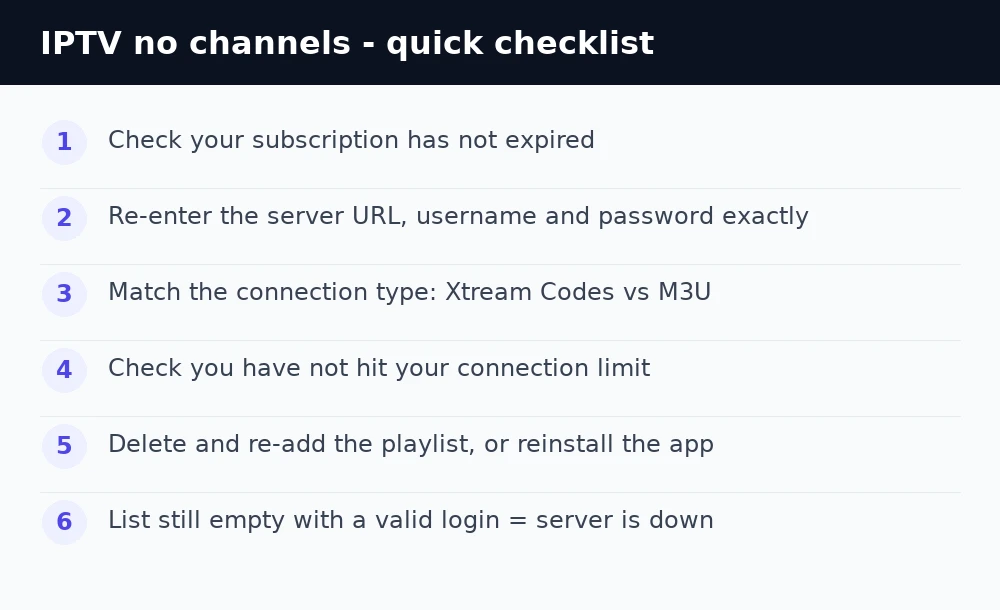
Still no channels? Quick checklist
Confirm the subscription is active, re-type the login exactly, match Xtream vs M3U, check you have not hit the connection limit, then delete and re-add the playlist or reinstall. If the list is still empty with a valid login, the server is down — move to a provider built for reliable 4K. For more help see our IPTV troubleshooting hub and the guide to fixing IPTV Smarters.
Enjoying iBoostv? Get it for free.
Share your referral link and earn a free month for every person who subscribes. No limit — refer enough people and your subscription pays for itself.
Start earning free monthsFrequently asked questions
Why does my IPTV show no channels?
The usual causes are an expired subscription, a wrong login or playlist URL, the wrong connection type, hitting your device limit, or a server outage. Check your expiry date first.
Why did all my IPTV channels disappear?
Channels are pulled live from the server each time, so they vanish if the line lapses, the server goes down, or another device used up your connection limit. Reload after checking those.
How do I reload my IPTV playlist?
Delete the playlist in your app and add it again, copying the login exactly from your activation email. This forces a fresh download of the full channel list.
Should I use Xtream Codes or M3U?
Use Xtream Codes if your provider gave you a username and password, or M3U if they gave you a single long link. Choosing the wrong type leaves the channel list empty.
