
There's no Google Play on a Firestick, so TiviMate Premium gets bought on your phone and switched on from the stick. Here are the 3 steps, the real $33.99 price and the 4 things that stop it unlocking.
Get your IPTV subscriptionYou can't buy TiviMate Premium from a Firestick. Amazon's sticks don't run Google Play, and Google Play is where TiviMate sells its upgrade on a TV. So the purchase happens in the TiviMate Companion app on an Android phone or tablet, and the Firestick only signs in.
TiviMate Premium lifetime
$33.99
A single payment, up to 5 devices on the same account. It's the highest in-app price on TiviMate's Google Play listing, checked September 2026.
A quick warning before you spend anything. TiviMate Premium buys app features and nothing else, and TiviMate says so on its own website: no channels, no streams, no content. If the free app shows you an empty screen today, paying won't change that.
TiviMate isn't in the Amazon Appstore, so on a Fire TV Stick you install it from a direct download. On TVs that have Google Play, TiviMate charges you through Google's own checkout. A Firestick has no Google Play, so that route isn't there at all.
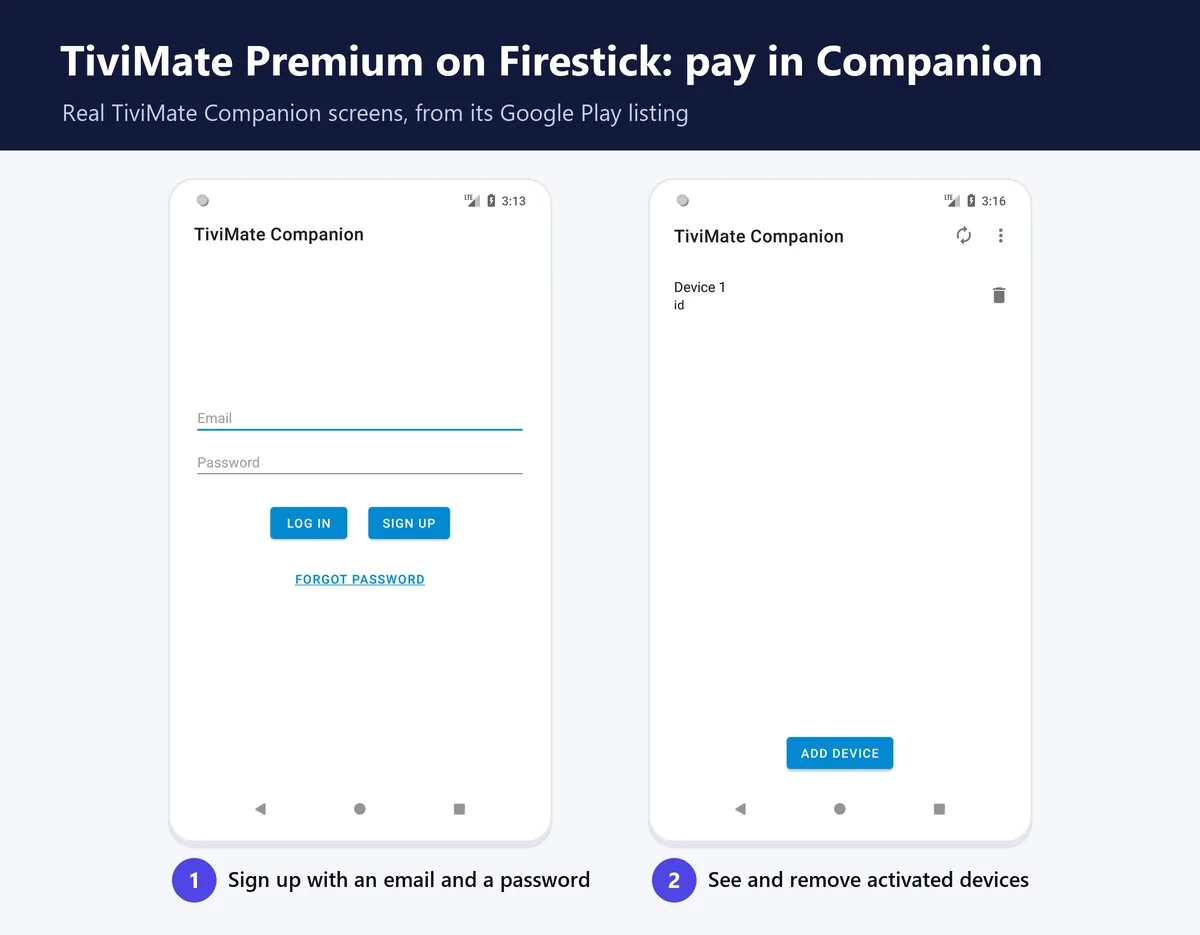
That gap is the whole reason the TiviMate Companion app exists. Its Google Play listing says it unlocks Premium on devices without Google Play and manages the devices you've activated. It isn't a player, and it won't show a single channel.
The mistake we see most often is people sideloading Companion onto the Firestick itself. Don't bother. It's a phone app, and the stick only ever needs your login.
The TiviMate Premium cost for a lifetime license is $33.99, plus tax where it applies. You pay once. A single account covers up to 5 devices, so a home with 3 Firesticks and an Android TV box buys it just the once.
TiviMate's terms of use also mention auto-renewing plans, and they say prices appear at the point of purchase. Google Play lists the app's in-app purchases at $0.99 to $33.99. So open the Companion app, see what it offers you on the day, and compare any renewal against that $33.99 before you tap buy.
Pick a renewing TiviMate Premium subscription and you can cancel whenever you like. The terms say cancelling stops future charges but doesn't cut short the time you've already paid for, so Premium stays on until that period ends.
Our view is simple. If you plan to keep TiviMate for years, take the lifetime license and never think about renewals again. Spread over 5 devices it's $6.80 a TV.
Check the refund rules first, because they're strict. A purchase through Google Play follows Google's refund policy. A purchase on TiviMate's website is final, and any refund is down to their support team case by case.
Install the free app first and load your playlist into it. Channels playing? Then TiviMate Premium will work too. If nothing plays, paying fixes nothing, because Premium never touches the stream itself.
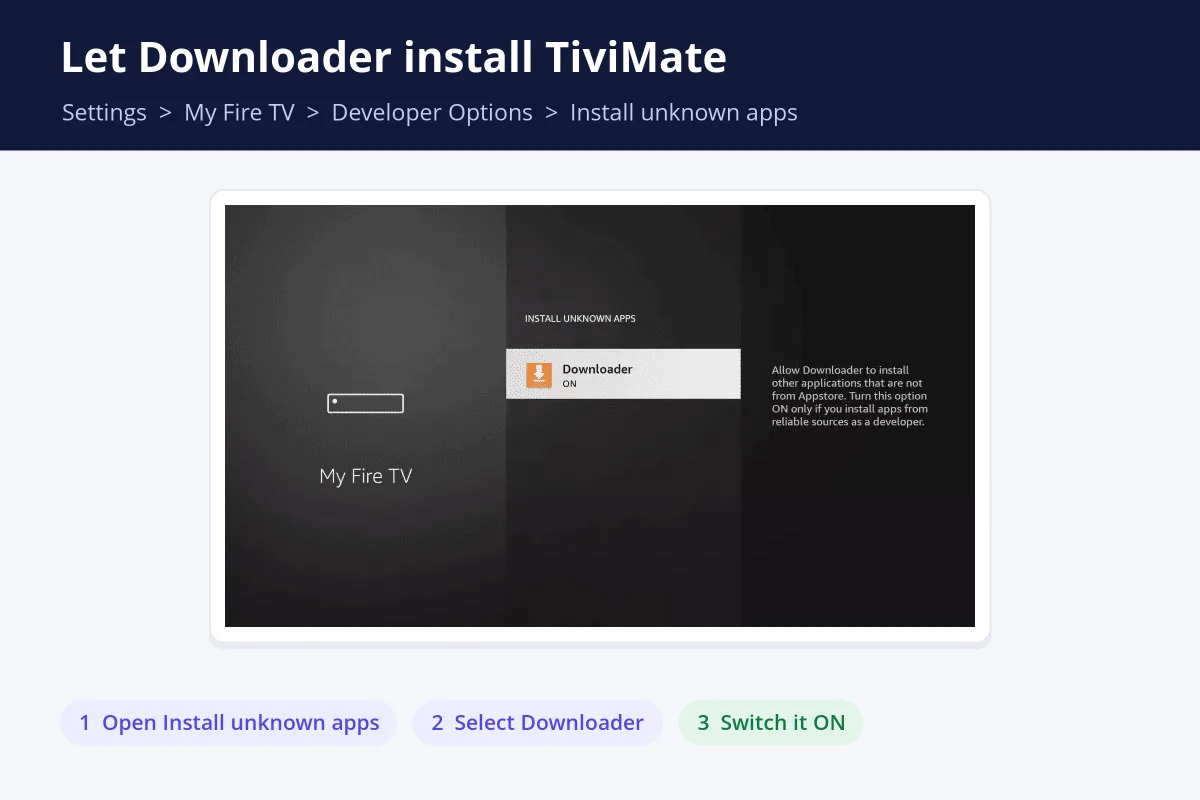
TiviMate's official Downloader code is 272483. Type it into the Downloader app on your Firestick and press Go, or type tivimate.com/apk instead. Fire TV blocks the install until Downloader is allowed to install apps, so go to Settings, My Fire TV, Developer Options, Install unknown apps, and switch Downloader on.
No Developer Options menu? Open About, highlight your Fire TV device and press Select 7 times. Testing with a free M3U list you found online is fine for a quick look, but expect it to stop working, and here's why free IPTV playlists break so quickly.
Stay away from any site selling a "TiviMate IPTV" subscription or a "premium APK". TiviMate is only a player, so a site bundling channels with it isn't TiviMate. A modded copy is a clone from an unknown source, and that's the last thing you want holding your logins.
Premium doesn't include channels
TiviMate is ready. Now it needs a playlist.
TiviMate Premium unlocks the app and nothing more. To watch anything you need an IPTV subscription with an Xtream Codes login, which TiviMate reads straight away.
Just testing? Start with 1 month for $13.99
4K quality · 1 to 4 connections · Works on Firestick, Smart TV, Android, iOS, MAG and Roku
Open Google Play on an Android phone or tablet and search for TiviMate Companion. The developer should read Armobsoft FZE, the same company behind TiviMate. Install it and open it.
There's no TiviMate Companion app for iPhone. Without an Android device you have 2 options: run Companion inside BlueStacks, a free Android emulator for Windows and Mac, or email [email protected] and ask how to pay on their website.
With BlueStacks, install it on your computer and sign in to Google Play inside it. Then search for TiviMate Companion and install it there, and steps 2 and 3 work exactly the same from that point on.
Use a password you don't use anywhere else. Anyone who signs in with it gets your TiviMate Premium subscription, and every sign-in takes up a device slot.
That device name matters more than it looks. When you reach the 5-device limit a year from now, the name is the only way to tell which stick to remove in Companion.
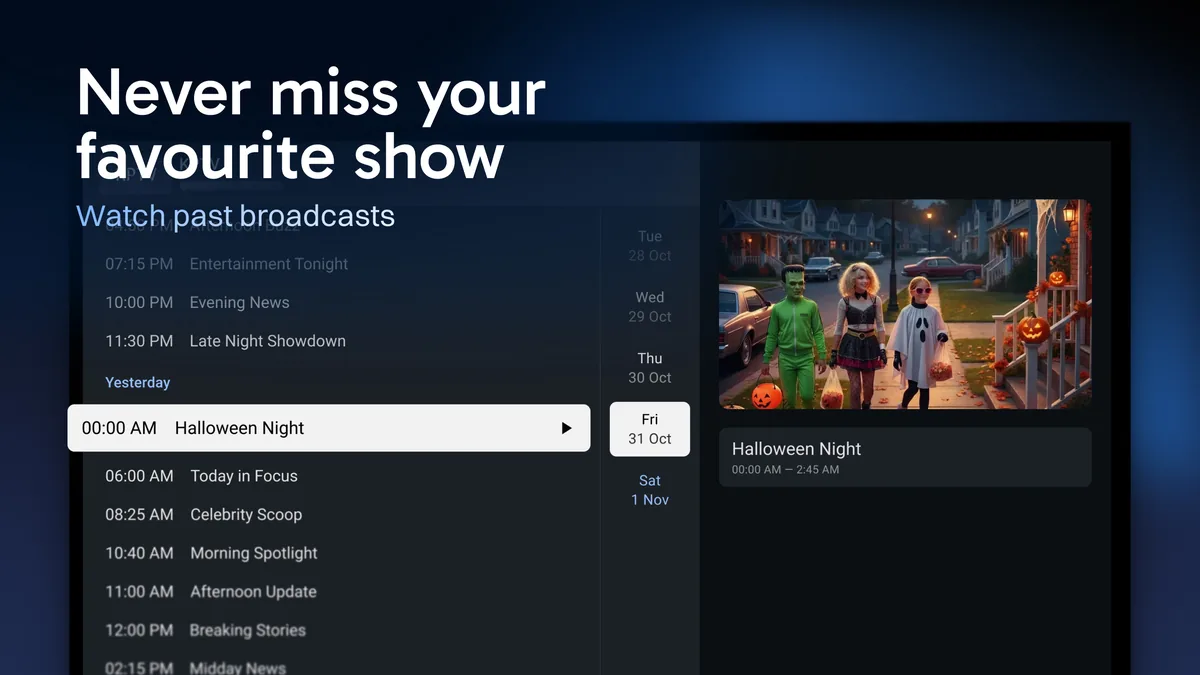
The free app plays a single playlist with its TV guide, and that's about it. Favorites? It asks you to upgrade the moment you try to add a channel. TiviMate Premium adds the parts most people install TiviMate for in the first place:
If you only ever watch a single playlist and never record, the free app is honestly fine. For most households, though, the favorites prompt alone is reason enough to pay.
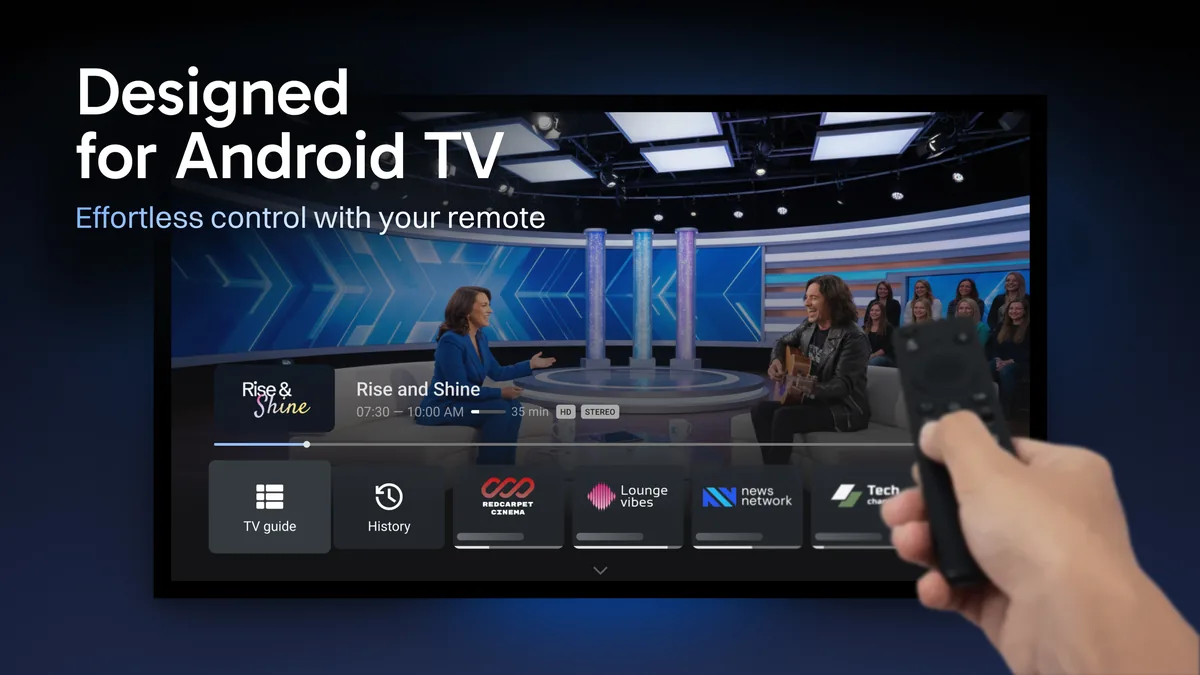
TiviMate is built for Android TV and a remote control. That covers every Fire TV Stick and Fire TV Cube, Android TV boxes, Google TV devices and the NVIDIA Shield. Your 5 device slots can mix brands freely.
Phones and tablets will install TiviMate, but TiviMate itself says the app isn't made for touch screens. We wouldn't pay for TiviMate Premium just to watch on a phone.
Roku, Apple TV and iPhone are a hard no. None of them run Android apps, so no account, free or paid, gets TiviMate onto them.
A new stick doesn't mean paying again. Install TiviMate on it with code 272483, then go to Settings, Unlock Premium and sign in with the same account.
Before you retire the old stick, run TiviMate's backup so you don't have to set everything up again by hand. Then delete the old device in the TiviMate Companion app, or it quietly keeps a slot for a stick sitting in a drawer.
Nearly every failed unlock traces back to these 4 causes. Work through them in order.
Still stuck after all 4? TiviMate's own support address is [email protected]. We can't see or change your TiviMate account, but we can check your iBoostv login for you if the playlist is the problem.
For a Firestick owner, yes, as long as your playlist already plays in the free app. $33.99 once, shared across 5 devices, is $6.80 a TV, and the upgrade prompt never comes back.
Skip it for now if you're still shopping for an IPTV service. Sort the service out first, because a player without a working playlist is just a very neat empty screen.
TiviMate reads Xtream Codes logins directly. Choose Add playlist, pick Xtream Codes, then enter the server address, username and password from the login email we send after you order. If the TV guide stays blank afterwards, our fix for a blank IPTV EPG covers the usual causes.
No subscription yet? iBoostv plans start at $13.99 for a month and work in TiviMate, IPTV Smarters and IBO Player Pro on the same subscription. Rather not handle playlists at all? Our IBO Player Pro Firestick guide shows the app where we load everything for you.
TiviMate is only the player. Add an iBoostv subscription for 40,000+ live channels, every major sport and 200,000+ movies in 4K.
It's the same app. TiviMate Premium is a paid unlock that adds several playlists, favorites, catch-up, scheduled recording, parental controls and backup. Neither version includes any channels.
$33.99, paid once, and it covers up to 5 devices on a single account. TiviMate's terms also mention auto-renewing plans, with prices shown in the Companion app when you buy.
On a Firestick, through the TiviMate Companion app on an Android phone or tablet. Create an account there, buy the plan, then sign in on the stick from Settings and Unlock Premium.
Yes. The free version installs with Downloader code 272483 and plays a single playlist. Anything sold as free TiviMate Premium is a modified copy, not the real app.
TiviMate's official Downloader code is 272483. You can also type tivimate.com/apk into the Downloader app instead.
If your playlist already plays in the free app, yes. $33.99 once works out at $6.80 per device across 5 devices. Without a working IPTV service, sort that out first.
