
TiviMate plays whatever login you give it, so the IPTV provider decides whether the guide fills in and how many TVs can watch at once. Here are the 6 checks, and how our plans measure up.
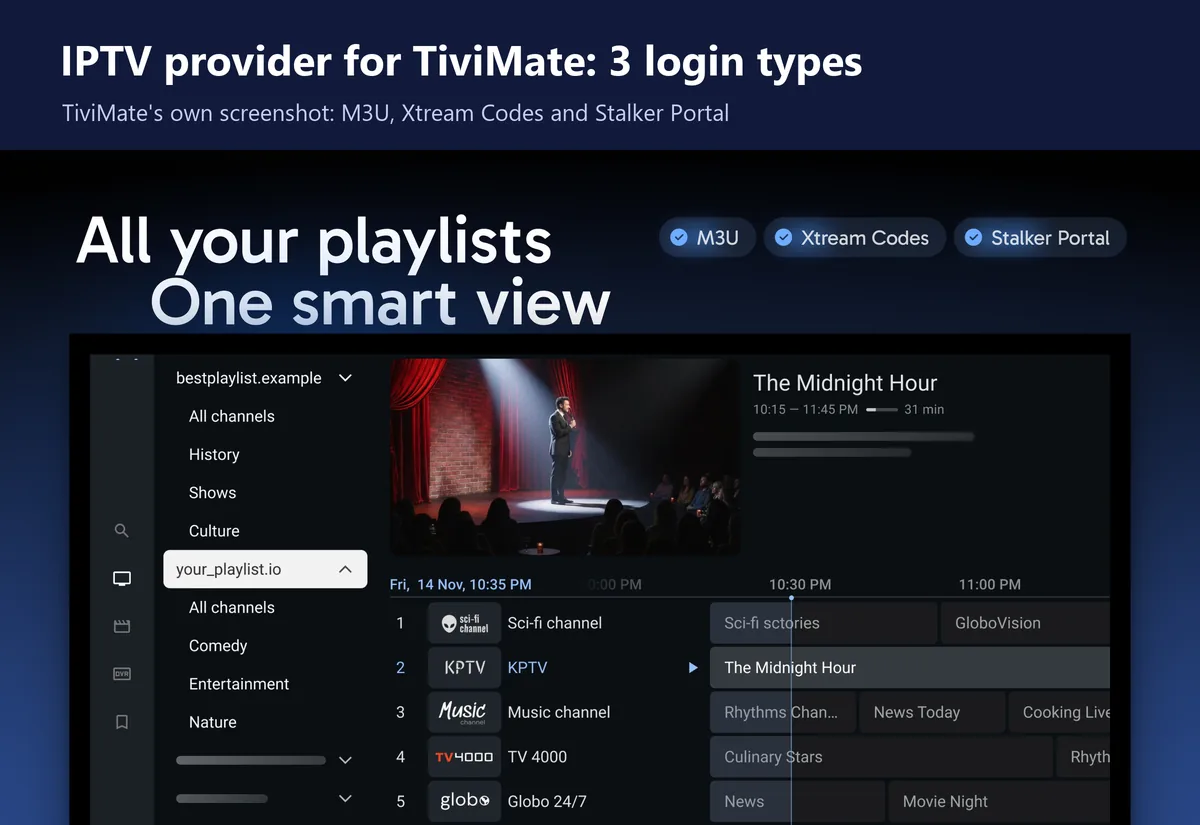
Get your IPTV subscriptionAny IPTV provider for TiviMate has to hand you 1 of 3 login types: an M3U link, an Xtream Codes login or a Stalker portal. TiviMate reads all 3, according to its Google Play listing. Everything else you notice in TiviMate comes from the IPTV provider, from whether the guide fills in to how many screens can play at once.
Ask for this login
Xtream Codes
It's 3 short fields to type with a remote, and the provider's TV guide normally loads with it.
We sell IPTV, so read this with that in mind. The checks below work for any IPTV provider for TiviMate, and the iBoostv section further down says plainly where we meet them and where we don't.
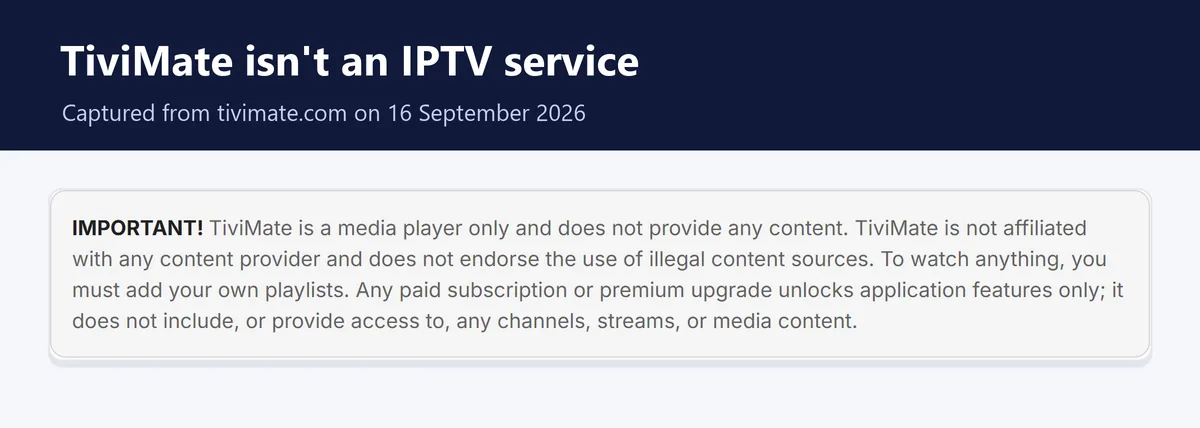
People search for a TiviMate subscription and end up paying for 2 different things. TiviMate Premium is an app upgrade that costs $33.99 once for up to 5 devices. It unlocks recording, catch-up, favorites and several playlists, and TiviMate says on its own website that no paid upgrade includes channels or streams.
The IPTV subscription is the part with the channels. TiviMate also states that it isn't affiliated with any content provider. So a store selling a "TiviMate IPTV subscription" is borrowing the name for a service TiviMate has nothing to do with.
Want the app upgrade itself? Our guide to buying TiviMate Premium with the Companion app covers that. This page is about the other half: the service that fills the app.
These come from how TiviMate handles an IPTV provider's playlists, not from a sales pitch. Check them in this order, because the first 2 decide whether the app feels finished at all.
Whenever an IPTV provider offers Xtream Codes, take it in TiviMate. You type a server address, a username and a password, which beats pecking out 1 long M3U link letter by letter on a remote. A single wrong character in that link and TiviMate loads nothing.
With an Xtream Codes login, the IPTV provider's guide normally loads into TiviMate together with the channels. An M3U link usually needs a separate EPG address typed into TiviMate, and that's the step people skip. Without a guide you get a channel list with no program names, and the grid is half of what makes TiviMate worth using.
TiviMate can replay past shows, but only on channels where the IPTV provider keeps an archive. So before paying, ask which of your channels have catch-up and how many days back it goes. If the answer is vague, assume it isn't there.
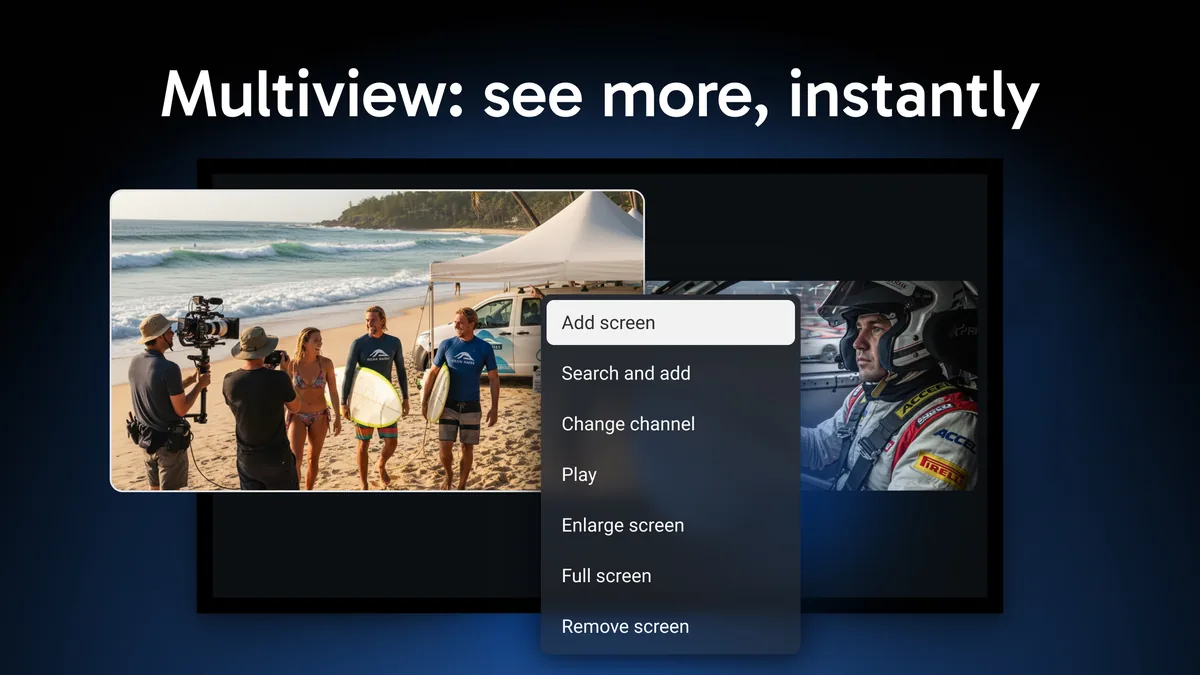
A connection is 1 stream at a time. TiviMate Premium covering 5 devices doesn't change that, since 2 TVs playing at once still need 2 connections from the IPTV provider. Multiview counts every channel on screen as its own stream, and a recording running while you watch something else is a second stream too.
Don't start with a year. A month shows you how an IPTV provider copes in TiviMate during a live match on a Saturday night. That's when a weak one gives itself away. The longer plans are where the savings are, once you know.
Look for a support channel a person answers, like WhatsApp, and read the refund policy before you pay rather than after. Some plans are excluded from refunds, and day 1 is the time to find out which ones.
Here's our IPTV service for TiviMate measured against the same list. It includes the 2 places where you might want more.
| Check | iBoostv |
|---|---|
| Login type | Xtream Codes login by email, and an M3U link if your app needs one |
| TV guide | Included with the login |
| Catch-up | Ask support which of your channels have it before you order |
| Connections | 1 to 4 per plan, and you can add more later without losing your subscription |
| Test plan | 1 month for $13.99, with no contract and no automatic renewal |
| Support | WhatsApp +1 (936) 277-6104, Telegram @iboostviptv and [email protected] |
Now the 2 gaps. There's no free trial on the site, so the month plan is the test. Support will still listen if you ask for one. And card is the only payment option at checkout.
Read our refund and return policy before you order, for the reason given in check 6. It's short.
Pick the connection count first, then the length. These are the 1-month and 12-month prices from our plans page, checked 16 September 2026.
| Connections | 1 month | 12 months | Fits |
|---|---|---|---|
| 1 | $13.99 | $59.99 | 1 TV at a time |
| 2 | $19.99 | $109.99 | Recording while you watch, or 2 rooms |
| 3 | $26.99 | $149.99 | A family with 3 screens going |
| 4 | $32.99 | $189.99 | Multiview with 4 channels |
For most TiviMate homes we'd pick 2 connections. The second one covers a recording or another TV, and on the 12-month plan it adds $50 to the price of a single connection.
There are 3-month and 6-month plans too, at $24.99 and $34.99 for 1 connection. They make sense for a single sports season.
For your TiviMate setup
Test iBoostv in TiviMate for a month
Your Xtream Codes login arrives by email once the payment is processed. Add it under Settings, Playlists, and the channel list loads with its TV guide.
Just testing? Start with 1 month for $13.99
4K quality · 1 to 4 connections · Works on Firestick, Smart TV, Android, iOS, MAG and Roku
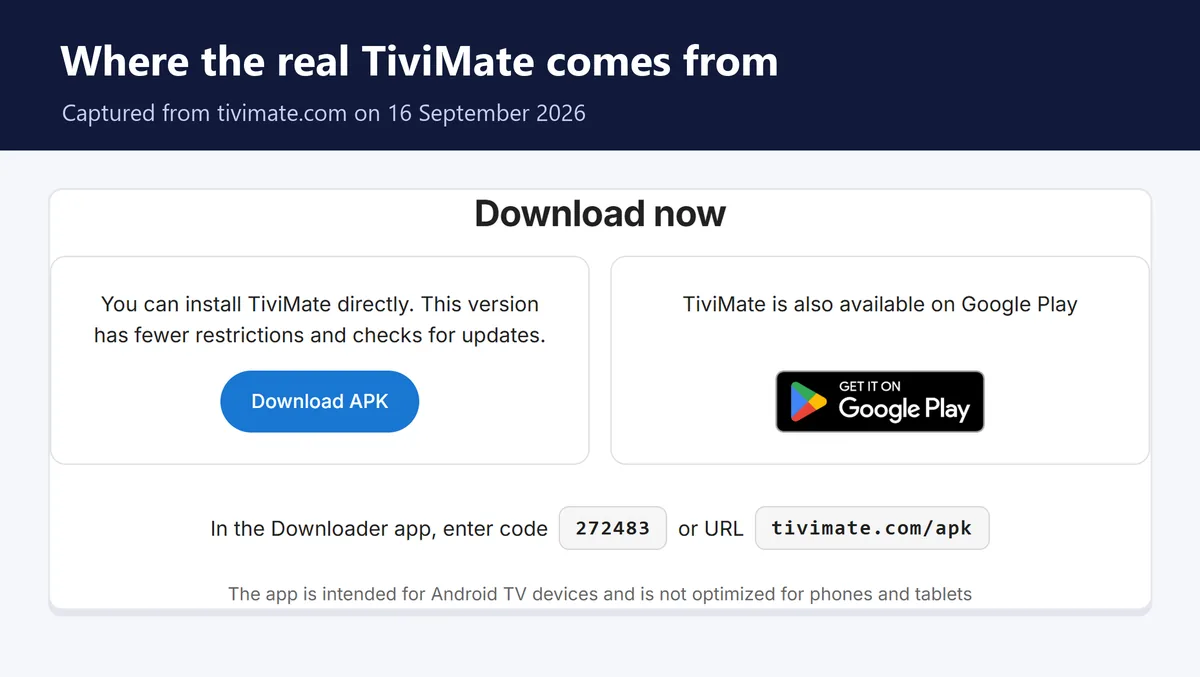
Install TiviMate first. On a Firestick that means Downloader code 272483. Our TiviMate Downloader code guide walks through every press, including the Fire TV sticks that can't install it.
No email a few minutes after paying? It's often sitting in spam. If it isn't there either, send support a WhatsApp message and they'll resend it.
Moving to a new IPTV provider for TiviMate doesn't mean starting again. With Premium, TiviMate holds several playlists, so add the new login next to the old one and keep both for a few days.
Then compare the same channel on each, at the same time of night. Once you're happy, delete the old playlist under Settings, Playlists. On the free version you only get 1 playlist, so remove the old one first and have the new login email open before you do.
An iBoostv login works in both, so pick the app for the screen you watch on. TiviMate is built for Android TV and a remote, and its website says the app is meant for TV devices rather than phones and tablets. It doesn't exist for iPhone, Apple TV or Roku at all.
Our take: TiviMate on a Firestick or Android TV box. On an iPhone, iPad or Apple TV, use IPTV Smarters Pro instead, and our IPTV Smarters Pro setup guide covers it with the same 3 login fields. Samsung and LG TVs can't run either app, so they need a player like IBO Player Pro.
None of these proves a seller is bad on its own. 2 or more on the same site is reason enough to keep looking for an IPTV provider for TiviMate.
The best IPTV for TiviMate is the one that passes these checks on the channels you watch, during the hours you watch them. Test us the same way you'd test anyone else: 1 month, 1 big live event, then decide.
You get an Xtream Codes login by email that goes straight into TiviMate. Plans start at $13.99 for a month, with 1 to 4 connections.
Buy a plan from an IPTV provider that gives you an Xtream Codes login, then add it in TiviMate under Settings, Playlists, Add playlist. iBoostv emails that login once your payment is processed, with plans from $13.99 a month.
TiviMate isn't an IPTV service or provider at all. It's a media player that sells app features, and it says it isn't affiliated with any content provider. What you watch through it comes from the service you add.
TiviMate Premium is $33.99 once for up to 5 devices, and it adds features, not channels. The channels come from a separate IPTV plan, which at iBoostv starts at $13.99 for a month.
A Fire TV Stick 4K Max, a Fire TV Cube or an Android TV box such as the NVIDIA Shield. Avoid the Fire TV Stick 4K Select, which runs Vega OS and can't install TiviMate.
The IPTV provider that passes the 6 checks on the channels you watch in TiviMate. Test any provider, us included, on a 1-month plan during a live event before paying for a year.
Yes. TiviMate supports Xtream Codes, M3U and Stalker Portal logins. Pick Xtream Codes when you add the playlist in TiviMate, then type the server address, username and password your IPTV provider sent.
