
IPTV Smarters Pro: Setup, Costs and the 6 Errors That Break It
IPTV Smarters Pro holds no channels of its own. What it really does, what a working line costs, and the 6 errors that break it.
IPTV Smarters Pro holds no channels of its own. What it really does, what a working line costs, and the 6 errors that break it.
Key takeaways
- IPTV Smarters Pro is a player, not a service. It holds no channels until a provider login fills it.
- The app is free. The subscription is not, and that is where nearly every problem starts.
- It has never been in the Amazon Appstore, so every Firestick install goes through Downloader.
- Buffering that only happens at peak time is an oversold server. No setting inside the app fixes that.
iBoostv · App Guide
It holds no channels of its own. Here is what IPTV Smarters Pro really does, what it costs to feed it, and the 6 errors that send people looking for a different app.
IPTV Smarters Pro is the app most people end up with when they buy an IPTV subscription, and almost nobody explains what it actually does before they install it. It holds no channels. It sells nothing. It is a shell that waits for a login, and once you understand that, most of the problems people blame on it stop being mysterious.
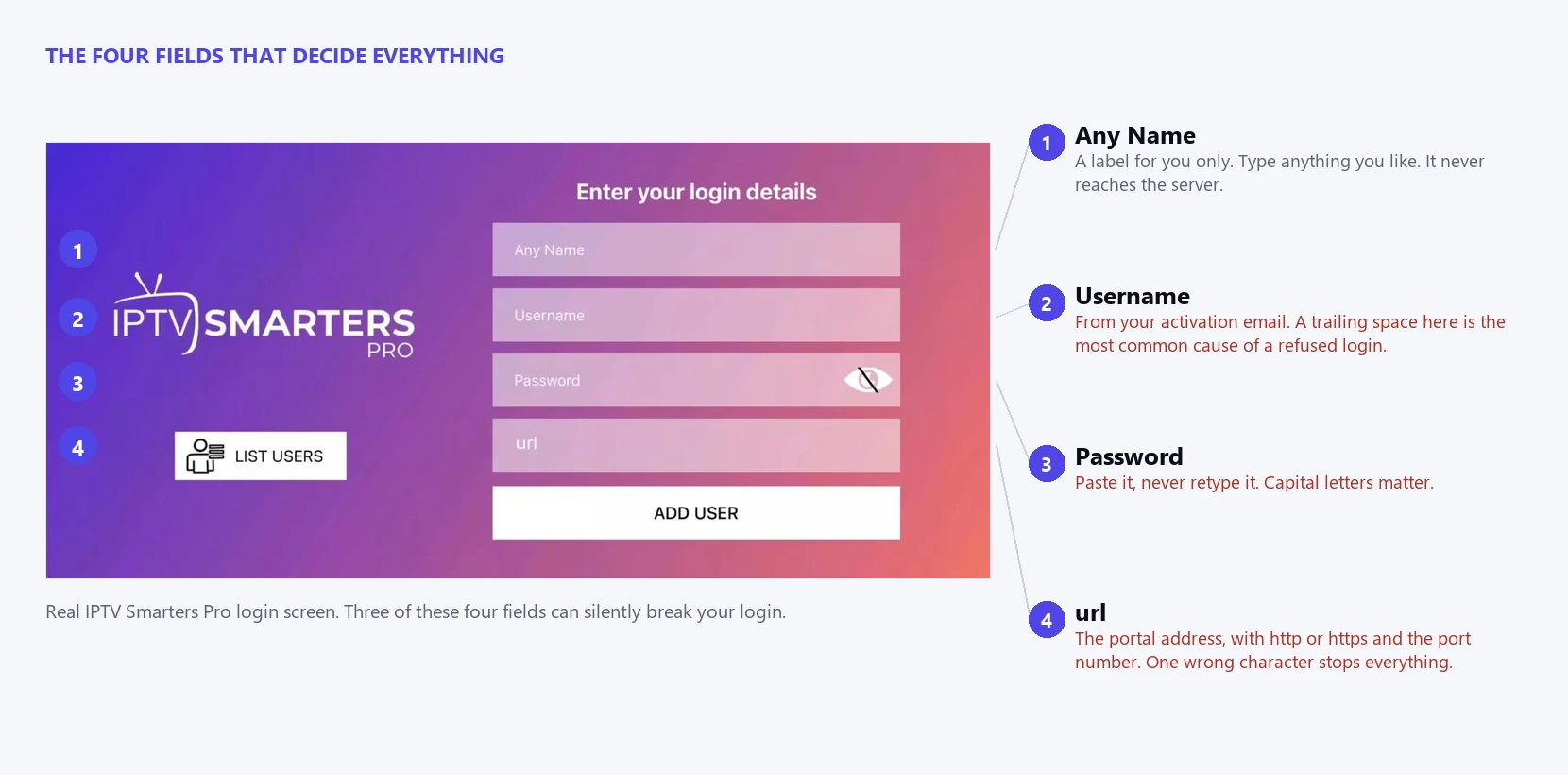
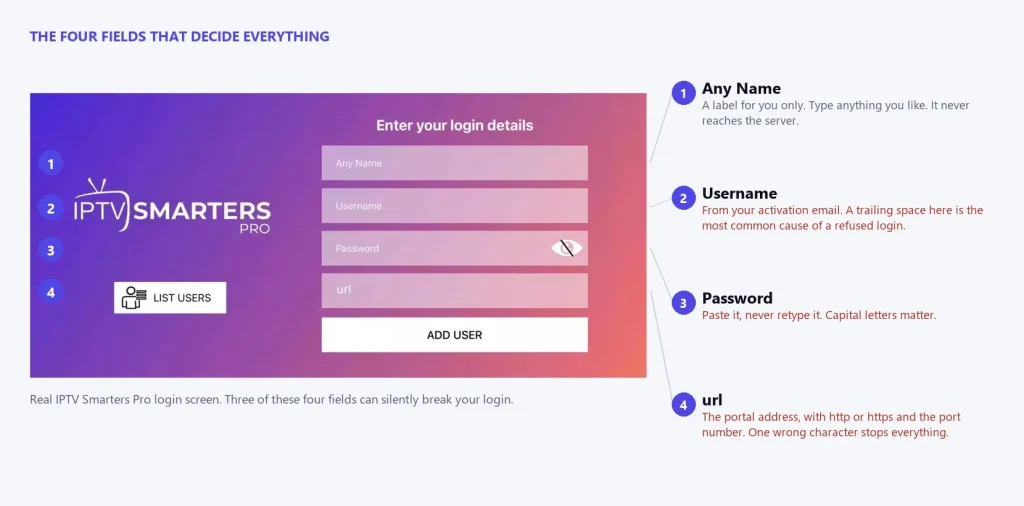
The real IPTV Smarters Pro login screen. Three of these four fields can silently break your login.
What IPTV Smarters Pro actually is, and what it is not
Think of it as a TV-shaped web browser. A browser has no websites inside it. IPTV Smarters Pro has no channels inside it. You supply an address and a login, it fetches whatever sits at the other end, and it draws that on your screen.
That single fact explains a lot. When a channel buffers, the app did not cause it. When your login is refused, the app is only relaying a refusal from somewhere else. When half your channels vanish overnight, IPTV Smarters Pro is reporting what the server sent, which was nothing.
It accepts two kinds of login. An Xtream Codes login is a username, a password and a portal URL, and it gives you channels, films and a programme guide in separate tabs. An M3U link is a single long web address that contains the channel list, and it usually arrives with a second link for the guide. The Google Play listing for the app describes it plainly as a player for live stream feeds using M3U playlist links.
My honest opinion after watching people fight with it: the app is fine. It is dated, the interface has barely changed in years, and it does the job. Nearly every complaint I see about IPTV Smarters Pro is a complaint about a provider wearing the app’s name.
Xtream login or M3U link: which to use
Most providers hand you both, with no explanation of the difference. It matters more than they let on.
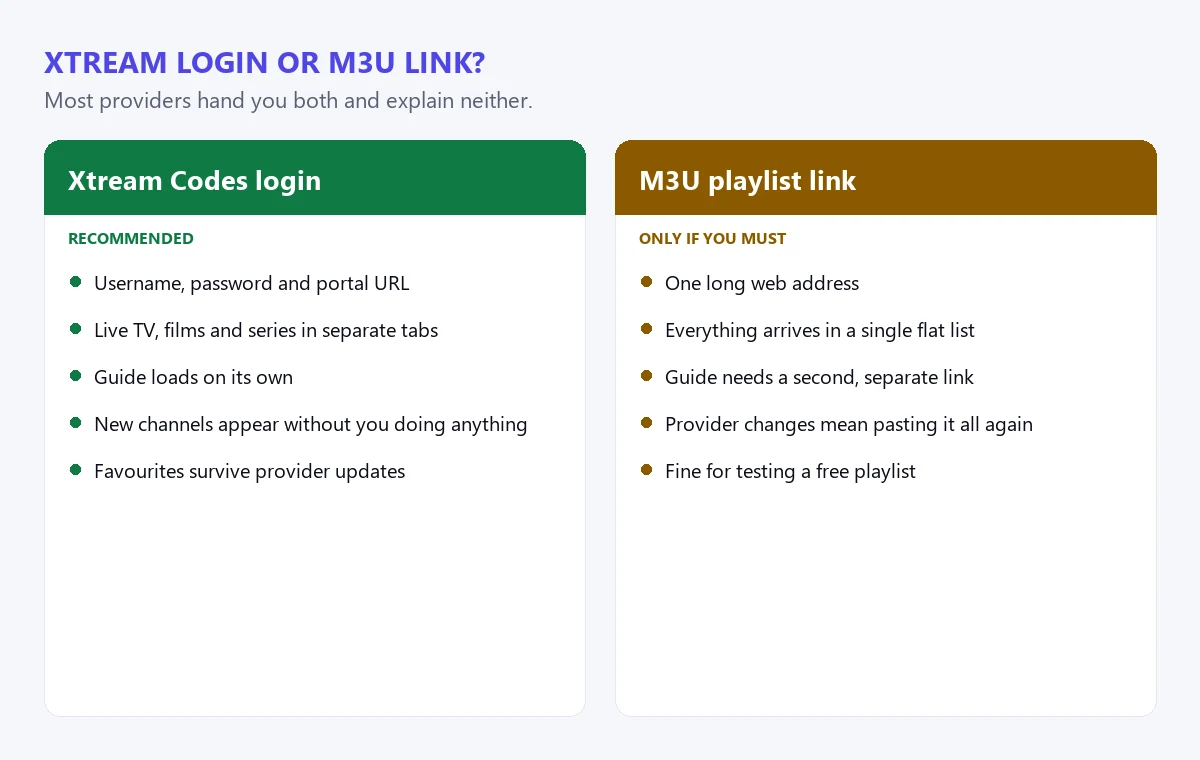
Use the Xtream login whenever a provider gives you one.
An Xtream Codes login gives IPTV Smarters Pro three separate tabs: live channels, films and series. The app can ask the server what is available and sort it for you, so your favourites survive, the guide loads on its own, and a channel added by the provider appears without you doing anything.
An M3U link is one long web address holding a flat list. IPTV Smarters Pro will play it, but everything arrives in a single pile, the guide needs a second link, and when the provider changes the list you have to paste the whole thing again.
Use the Xtream login if you were given one. I would only reach for M3U when a provider offers nothing else, or when you are testing a free playlist and do not want it tangled up with a paid line. If a provider only ever gives out M3U links, that tells you something about how their panel is built.
Is IPTV Smarters Pro free?
The app itself is free to download. The Google Play listing shows over 100,000 downloads, carries ads, and was last updated on 12 August 2026. There is no purchase required to install it and add a playlist.
What is not free is the thing that makes it useful. Without a subscription from a provider, IPTV Smarters Pro opens to an empty screen and stays there. People search for a free version, install it, see nothing, and assume the download was broken. It was not. They just have a player with nothing to play.
Be careful here, because this gap is where the clones live. Search the app stores and you will find several apps using variations of the same name from unrelated publishers. Some carry ads far heavier than the original. Stick to the listing with the download count in the six figures and check the publisher before you install.
Is IPTV Smarters Pro legal in the US?
Yes. The app is legal to download and use in the United States. It is a media player, in the same category as VLC, and playing a video file has never been the illegal part of anything.
The legality question attaches to the subscription, not the software. If your provider has the rights to distribute the channels they sell, you are watching licensed content through a legal player. If they do not, the app is still legal and the stream is not. IPTV Smarters Pro cannot tell the difference and makes no claim to.
This is the part most guides skip because it is awkward. A player is neutral. What you point it at is not, and that choice is yours rather than the app’s.
How much does IPTV cost monthly?
Prices in this market sit in a narrow band, and anything far outside it should worry you. Here is what the real range looks like against what you actually get.
| What you pay | Typical monthly | What it usually means |
|---|---|---|
| Under $3 a month | $1 to $3 | Oversold servers, no support, high chance the line disappears mid-plan |
| Normal range | $5 to $15 | Real infrastructure, replies to tickets, survives peak-time load |
| iBoostv, 12 months | $5.00 | $59.99 up front, 4K, 1 to 4 connections, 40,000+ channels |
| iBoostv, 1 month | $13.99 | Same service, no commitment, for testing before you commit |
| Over $25 a month | $25+ | Usually a reseller marking up somebody else’s panel |
The pattern worth remembering is that monthly plans always cost more per month than yearly ones, everywhere, from everyone. If a yearly plan is cheaper than 3 months of the monthly plan, that is normal. If a yearly plan costs $15 total, somebody is selling you a line they cannot keep running.
Installing IPTV Smarters Pro on each device
The login is the same everywhere. Getting the app onto the box is what changes.
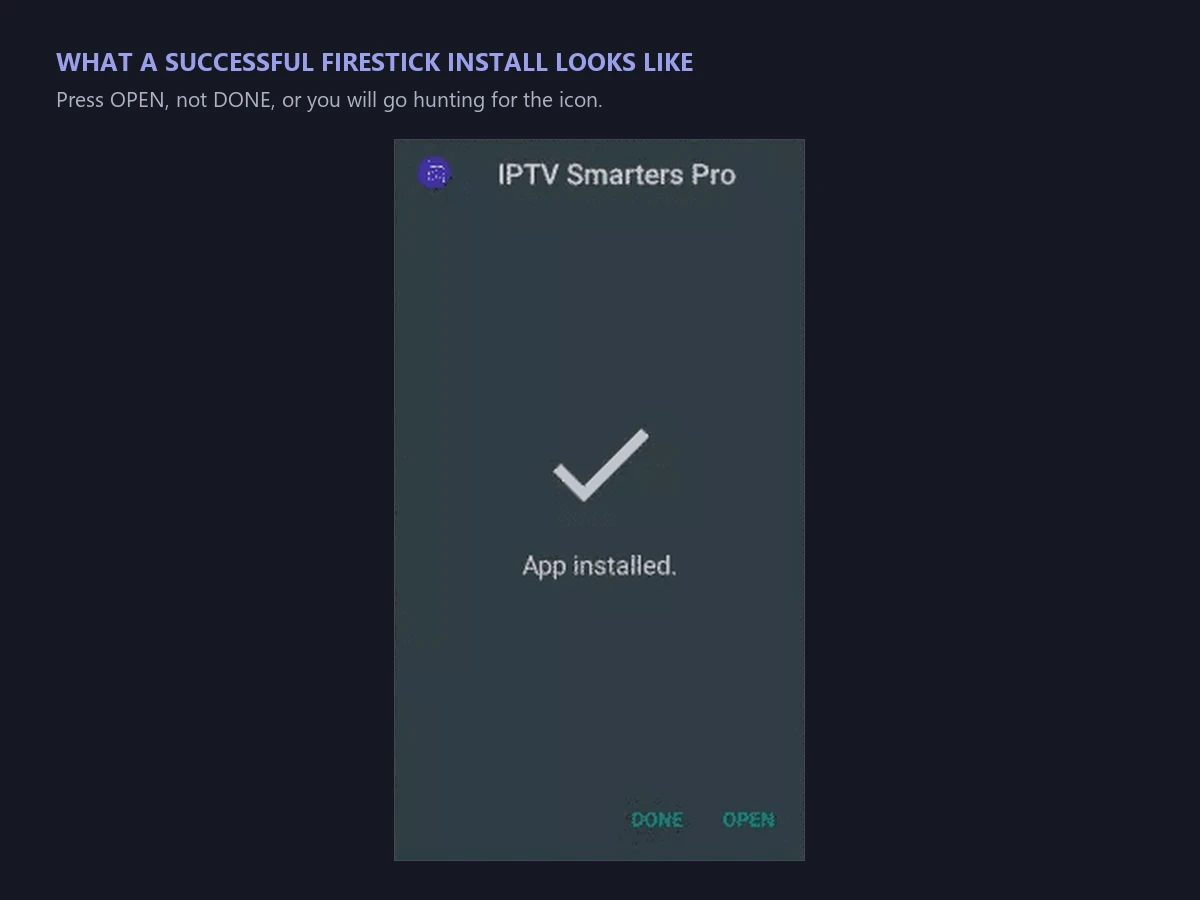
On a Firestick there is no app store shortcut. Every install goes through Downloader, and this dialog is what success looks like.
Fire TV Stick and Fire TV
Turn on Settings, My Fire TV, Developer Options, then Install Unknown Apps, and allow Downloader. Open Downloader, type the APK address your provider gave you, and press Go. Install, open, and enter your details.
If Developer Options is missing, open Settings, My Fire TV, About, and click Fire TV Stick 7 times. The menu appears after that. Amazon hides it on newer builds and it catches people out constantly.
Android TV, Google TV and Android boxes
Most Android TV devices carry the app in the Play Store, so search for it there first. If it does not appear for your region, the Downloader route works the same as it does on a Firestick.
iPhone, iPad and Apple TV
Install from the App Store. Apple does not allow sideloading, so if the app is not listed in your country you have no workaround, and that is worth knowing before you buy a plan for an iPad.
Samsung and LG smart TVs
These run Tizen and webOS, not Android, and IPTV Smarters Pro is not built for them. You will need a different player or a cheap streaming stick plugged into the HDMI port. Anyone telling you otherwise is describing a different app.
Windows and Mac
There is a desktop build, and it is the easiest way to test whether a problem is your TV or your subscription. If the desktop app signs in and your Firestick does not, the fault is the Firestick.
Is Amazon blocking IPTV Smarters Pro?
Not blocking, but not carrying it either. I searched the Amazon app category directly while writing this. A search for “iptv smarters” returns 5 results, and none of them is the app. What comes back is a TiVo streaming device and a podcast app with a similar name.
So the practical answer is that IPTV Smarters Pro has never been available in the Amazon Appstore, which is exactly why every Firestick guide tells you to sideload through Downloader. That step is not a workaround for a ban. It is the only route that has ever existed on that device.
Amazon has tightened the sideloading path over time, which is why the developer options menu keeps moving. It still works. It just takes 7 clicks in a menu Amazon would rather you did not find.
The 6 errors that break IPTV Smarters Pro
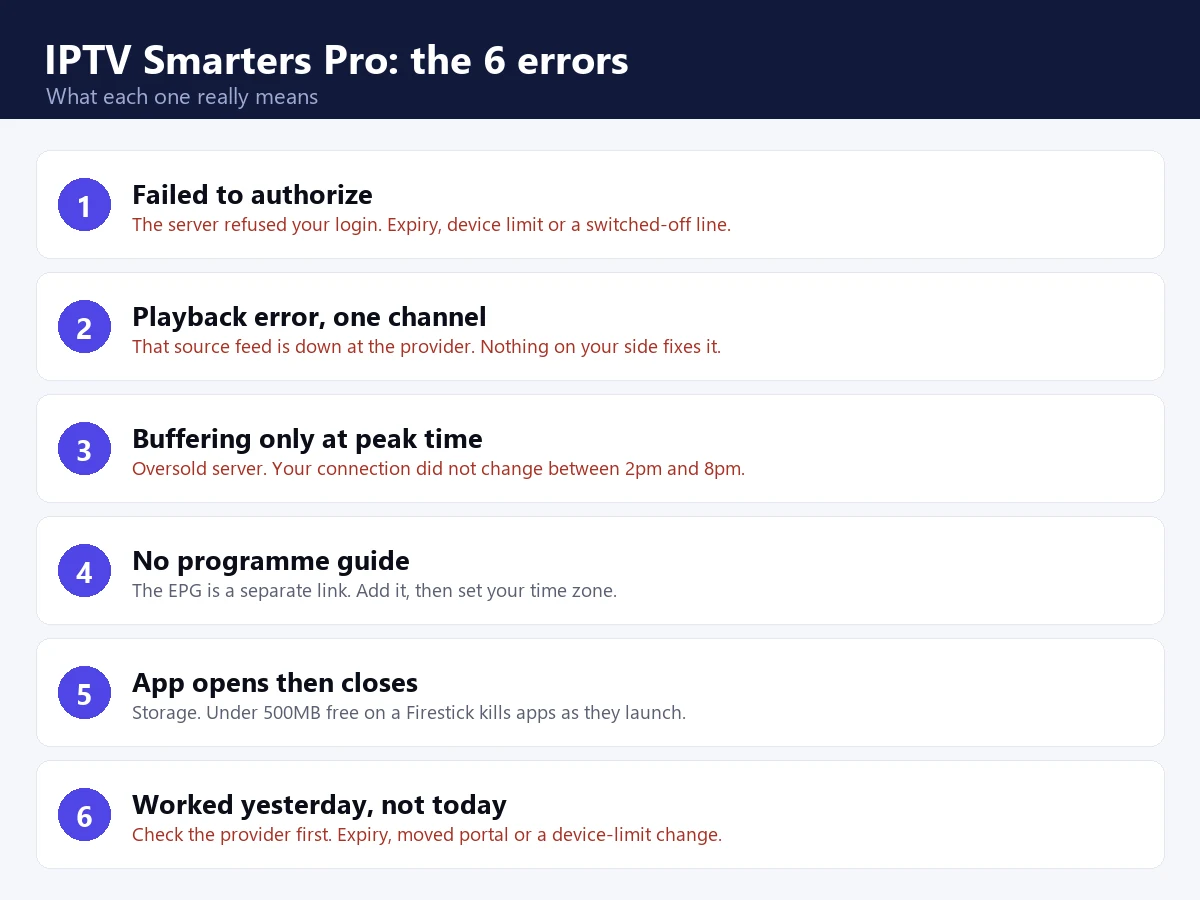
Six errors, six different causes. Only 2 of them have anything to do with the app itself.
1. Failed to authorize
The server rejected your login. Usually the subscription expired, you are over your device limit, or the provider switched the line off. It is rarely a typing mistake. We have a full walkthrough of the 7 causes in our guide to IPTV Smarters failed to authorize.
2. Playback error on one channel
If one channel fails and the rest are fine, the source feed is down at the provider. Nothing on your side fixes a dead feed. If every channel throws it, switch the internal player in Settings and toggle hardware decoding.
3. Buffering at peak time only
This is the clearest signal in the whole list. A stream that runs perfectly at 2pm and stutters at 8pm is an oversold server. Your connection did not change between those hours. Their load did.
4. No programme guide
The EPG is a separate link from the channel list, and providers forget to send it. Add the EPG URL in the login screen and set your time zone correctly, or the guide will show the right programmes at the wrong hours.
5. The app opens then closes
Almost always storage. A Firestick with under 500MB free will kill apps as they launch. Uninstall something, clear the cache, restart properly by pulling the power for 10 seconds rather than using the remote.
6. Everything worked yesterday and nothing works today
Check the provider before you touch a single setting. Expiry, a moved portal address and a device-limit change all look identical from inside IPTV Smarters Pro, and all three are fixed by them, not you.
If you would rather work through symptoms than causes, our IPTV troubleshooting hub covers the same ground from the other direction.
Five settings worth changing straight away
The defaults are conservative. These 5 changes fix most of the complaints people have about IPTV Smarters Pro before they have really used it.
Switch the internal player. Settings, Player Selection. The app ships with more than one decoder, and the default is not always the best one for your hardware. If video stutters while audio stays clean, change it before you blame your connection.
Turn hardware decoding on, then off. On cheap Android boxes hardware decoding is the difference between smooth 4K and a slideshow. On a small number of devices it produces a green or black picture instead. Try both, keep whichever works, and stop reading forum threads about it.
Raise the buffer. A larger buffer means a longer wait when you change channel and far fewer stutters once playing. On a stable connection leave it low. On patchy Wi-Fi raise it and accept the extra 2 seconds.
Set your time zone. This one catches everybody. The guide will happily show tonight’s football at 3am if the time zone is wrong, and people conclude the EPG is broken when it is perfectly accurate in the wrong country.
Build your favourites early. A 40,000 channel list is unusable by scrolling. Ten minutes spent marking favourites turns IPTV Smarters Pro from an overwhelming directory into something that behaves like a normal TV.
How many devices can use IPTV Smarters Pro at once?
The app has no limit of its own. You can install it on every screen you own and sign in on all of them. Whether they all play at the same moment is decided by the connection count on your plan.
This is where the device-limit error comes from, and why it confuses people. A forgotten tablet in a drawer can still hold a slot open for several minutes after you stop watching. If you are on a single-connection plan and the bedroom Firestick is still awake, the living room gets refused.
IPTV Smarters Pro compared with the alternatives
| Player | Best for | Weak point |
|---|---|---|
| IPTV Smarters Pro | Xtream logins, works on nearly everything | Dated interface, no Tizen or webOS build |
| IBO Player Pro | Firestick users who want a one-time licence | Activation needs a MAC address and device key |
| TiVimate | Serious guide and recording features | The good version costs money, Android only |
| Built-in provider app | Zero setup | You are locked to that provider |
If you are on a Firestick and want an alternative, our IBO Player Pro setup guide walks through the other option most iBoostv customers use.
What people get wrong about IPTV Smarters Pro
Three assumptions cause most of the wasted evenings.
The first is that reinstalling helps. It almost never does, because a reinstall that keeps your stored profile keeps the stale session with it. Remove the profile first, then reinstall, or you are repeating the same request and expecting a different answer.
The second is that a faster internet plan fixes buffering. If your connection carries Netflix in 4K, it carries IPTV. Upgrading from 100Mbps to 500Mbps does nothing for a server that is already overloaded at the other end.
The third is that a different player will fix a broken subscription. Switching from IPTV Smarters Pro to another app changes the buttons, not the stream. If the line is dead, every player on earth reports the same dead line.
Is IPTV Smarters Pro safe to install?
The app itself is safe. The APK you install it from might not be.
On Android and Firestick you are sideloading a file from whatever address your provider handed you, and that file is only as trustworthy as the person who gave it to you. A repackaged APK can carry anything. If a provider gives you a download link on a domain that has nothing to do with them, ask why before you press install.
Where you can, install IPTV Smarters Pro from an official store listing instead. It is slower, it sometimes means the app is unavailable in your country, and it is still the safer route. On a Firestick, prefer a link your provider publishes on their own domain over one pasted into a forum thread.
The app is free. The line is not.
IPTV Smarters Pro is only as good as what you point it at.
Every error in the list above traces back to the server, not the software. Oversold panels buffer at 8pm, expire without warning, and vanish mid-plan. That is the half you cannot fix from the app.
Just testing? Start with 1 month — $13.99
14-day money-back guarantee
4K quality · 1–4 connections · Works on Firestick, Smart TV, Android, iOS, Mag & Roku
Where the app ends and the provider begins
Here is the line worth drawing, because it decides where you spend your time.
IPTV Smarters Pro controls the interface, which player engine decodes the video, the buffer size and how your favourites are sorted. Your provider controls whether the channel exists, whether the server can carry everyone watching it at 8pm, how many devices you may use, and whether your line is still switched on.
Almost every complaint sits in the second column. Reinstalling the app cannot fix an oversold server, and no setting inside it will add channels your plan does not include.
One thing worth admitting: the app has not aged well. Navigation takes more clicks than it should, the settings are buried, and on a slow Firestick the channel list can take several seconds to draw. If that irritates you, a different player will feel better. It will not stream any better, because that was never the app’s job.
You can check the current build and its update history on the Google Play listing. For step-by-step setup with screenshots, see our IPTV Smarters download and setup guide.
Enjoying iBoostv? Get it for free.
Share your referral link and earn a free month for every person who subscribes. No limit — refer enough people and your subscription pays for itself.
Start earning free monthsFrequently asked questions
Is IPTV Smarters Pro free?
The app is free to download and the Google Play listing shows over 100,000 downloads. What is not free is the subscription that fills it. Without a provider login it opens to an empty screen.
Is IPTV Smarters Pro legal in the US?
Yes. It is a media player, in the same category as VLC, and it is legal to download and use. The legality question attaches to the subscription you point it at, not to the software.
How much does IPTV cost monthly?
A realistic range is 5 to 15 dollars a month. iBoostv works out at 5.00 dollars a month on the 12 month plan, or 13.99 dollars for a single month. Anything under 3 dollars usually means an oversold server.
Is Amazon blocking IPTV Smarters Pro?
It has never been listed in the Amazon Appstore. A search there returns unrelated results, which is why every Firestick guide tells you to sideload through the Downloader app.
Does IPTV Smarters Pro work on Samsung and LG TVs?
No. Those run Tizen and webOS rather than Android, and there is no build for them. Use a different player or plug a streaming stick into the HDMI port.
