
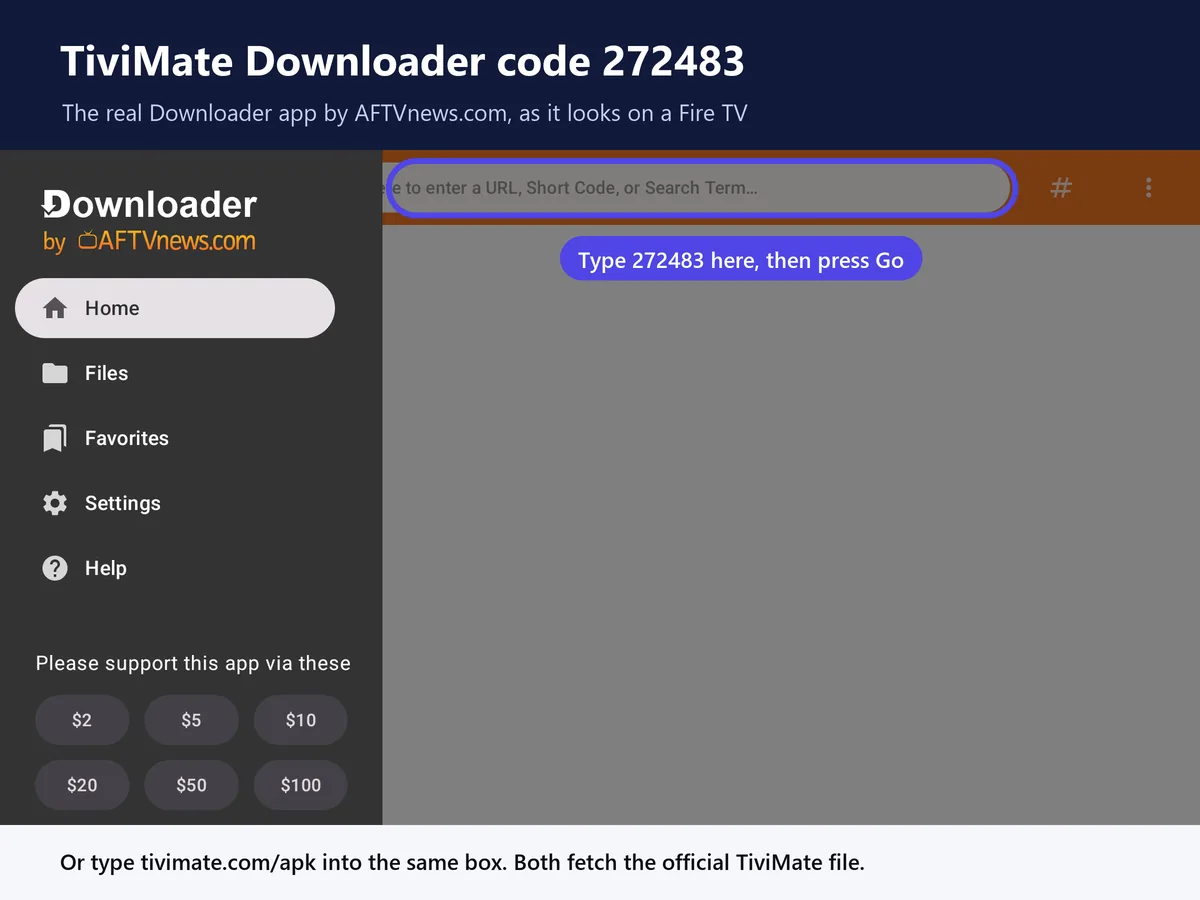
Type 272483 into Downloader and TiviMate installs from its own server. Below is every press on the remote, and what to do when a September 2026 Fire TV bug hides Downloader.
Get your IPTV subscriptionThe TiviMate Downloader code is 272483. Type it into the Downloader app on your Firestick, press Go, then Install. TiviMate publishes that number on its own website, and the file it fetches comes straight from files.tivimate.com rather than a mirror nobody can vouch for.
TiviMate Downloader code
272483
Code not loading? Type tivimate.com/apk into Downloader instead. Both fetch the same 21 MB file, checked 16 September 2026.
Installing TiviMate with the Downloader code takes about 5 minutes on a stick that's already online. What TiviMate won't give you is anything to watch. It's a player with no channels of its own, so step 4 covers getting a login from us and step 5 puts that login into the app.
Check this first, because 2 Fire TV models on sale in 2026 can't install TiviMate at all. The Fire TV Stick 4K Select and the 2nd-generation Fire TV Stick HD run Vega OS, Amazon's newer system that isn't built on Android. They don't run Downloader, so there's nowhere to type the TiviMate code, and there's no workaround.
To see which one you've got, open Settings, then My Fire TV, then About, and read the software version. Fire OS followed by a number means you're fine. If it only says OS and the number starts with a 1, the stick is running Vega OS and no Downloader code will get TiviMate onto it.
Buying a stick for TiviMate? Get the Fire TV Stick 4K Max or a Fire TV Cube. Both run Fire OS, and their faster processors are less likely to trip over the settings bug covered below step 2.
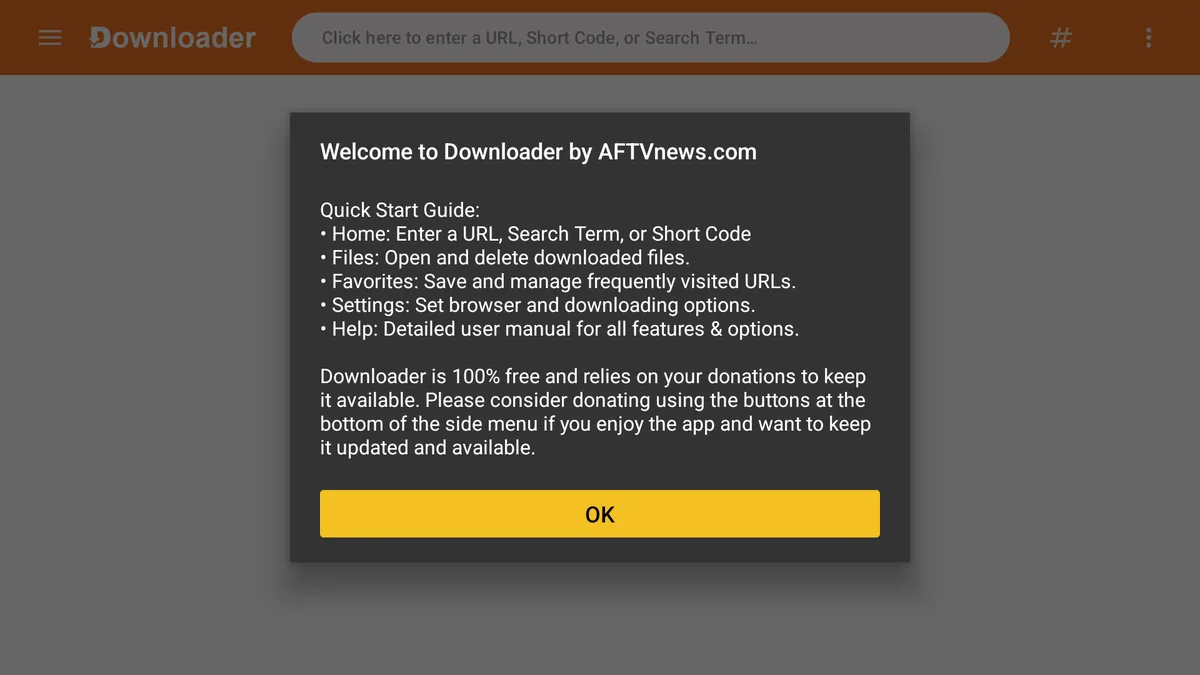
Open Downloader once it's in. If it asks for access to photos, media and files, choose Allow, and if a Quick Start Guide pops up, press OK to close it.
Make sure you've got the real app, too. While Amazon had Downloader suspended in March 2026, its developer warned that a copy called Downloader for Fire, Browser was charging people $6.99 a week. The genuine Downloader is free in the Amazon Appstore.
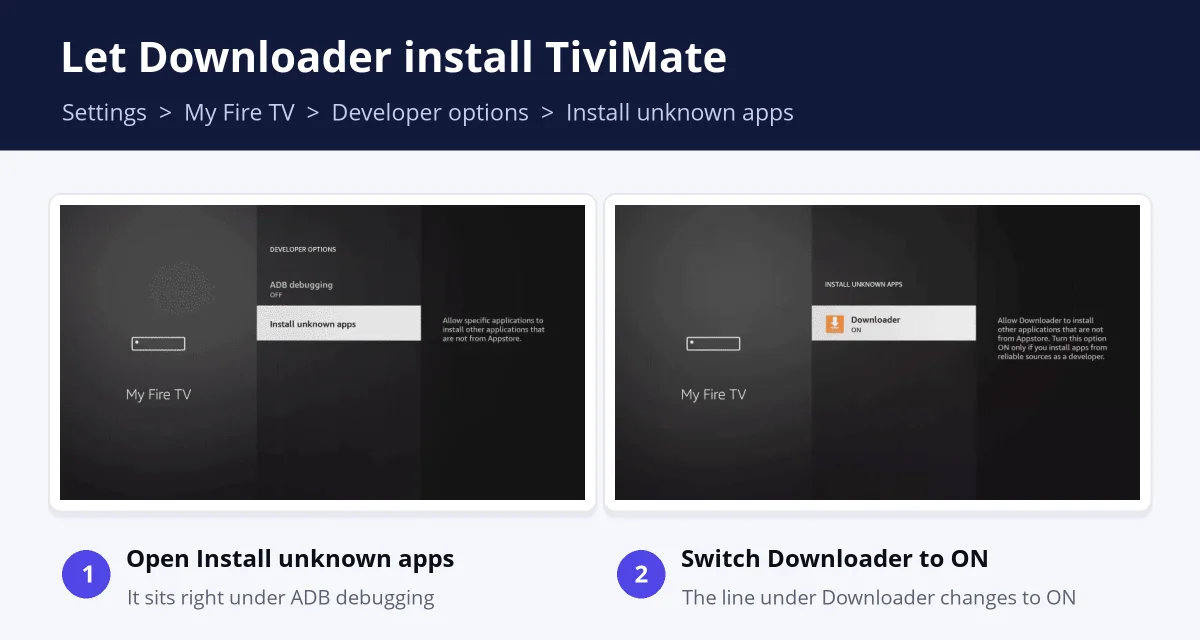
Fire TV refuses to install anything from outside the Appstore until you give Downloader permission. Skip it and Downloader still fetches TiviMate from the code, but the install is blocked. You only do this once.
No Developer options? Go to About, highlight the first line (your device's name) and press Select 7 times, then press Back. Older Fire OS versions show a single Apps from Unknown Sources switch instead of a list, and turning that on does the same job.
That's an Amazon bug, not something you did. On Fire OS 7.7.1.6 and 8.1.8.2, the settings screen shows the Install unknown apps list before it has finished building it, and Downloader tends to land near the end. Amazon confirmed the bug in September 2026, and AFTVnews reported the fix rolling out from 16 September.
Slower sticks hit this bug hardest, especially the Fire TV Stick Lite, the 3rd-gen Fire TV Stick and the 1st-gen Fire TV Stick HD. If none of those fixes work, wait. Amazon's update is rolling out automatically over about a week.
This is where the TiviMate Downloader code comes in. Everything below uses the arrow keys and the center Select button on the Fire TV remote.
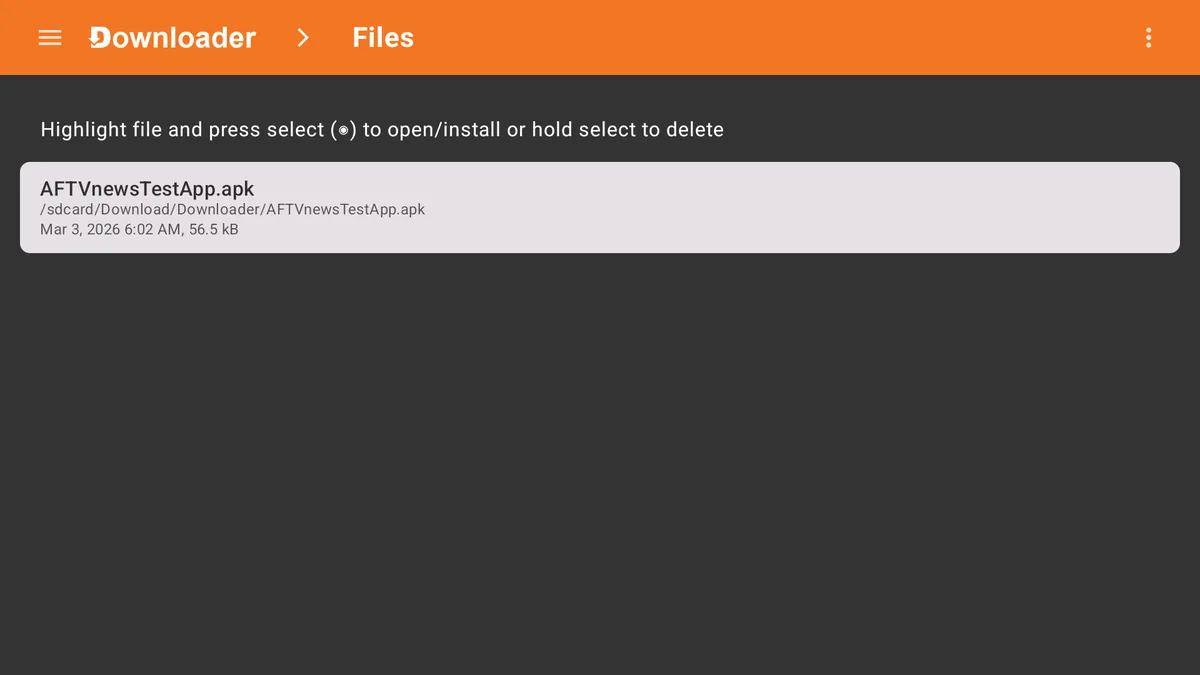
Deleting the installer is worth 2 extra presses. Once TiviMate is on, that file is 21 MB of storage doing nothing, and TiviMate stays installed either way.
TiviMate arrives empty
Installed? Now give TiviMate something to play.
TiviMate is only the player, with no channels of its own. Every iBoostv plan includes an Xtream Codes login by email, and step 5 below shows where it goes.
Just testing? Start with 1 month for $13.99
4K quality · 1 to 4 connections · Works on Firestick, Smart TV, Android, iOS, MAG and Roku
Open TiviMate now and it's empty. An IPTV subscription is what fills it, and this is what ordering one from us looks like, screen by screen.
Nothing in your inbox after a few minutes? Look in spam, then message support on WhatsApp at +1 (936) 277-6104 and we'll send it again.
Testing first? Take the month. If the channels you actually watch hold up through a weekend of live sport, the 12-month plan works out at $5 a month instead of $13.99.
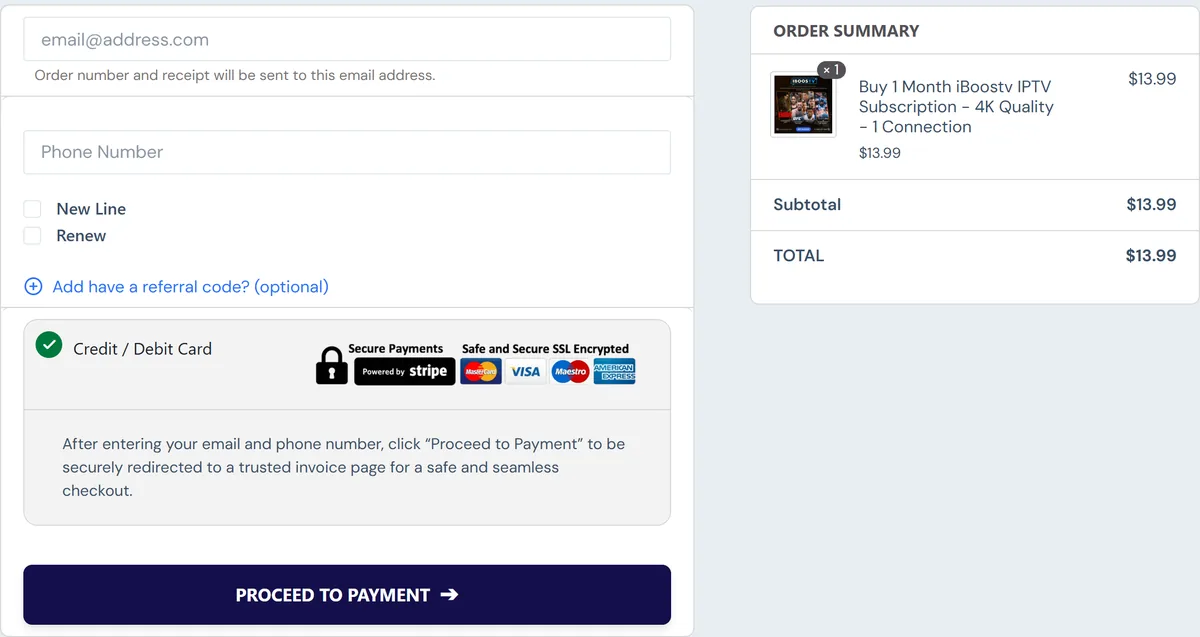
Keep the login email open on your phone while you do this. You'll copy 3 things from it into TiviMate: the server address, your username and your password.
Pick Xtream Codes over the M3U option. An M3U link packs the server, your username and your password into 1 long URL, and typing that with a remote is where typos creep in.
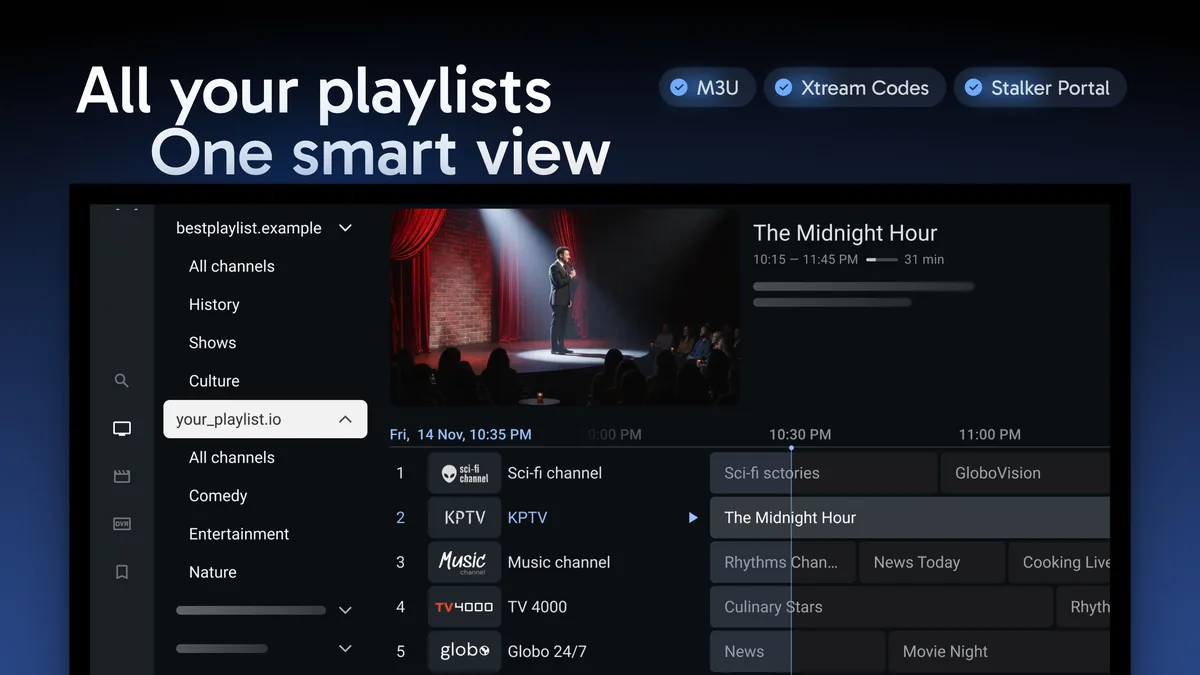
Login refused? Check for a stray space at the end of the username, and for http versus https at the start of the server address. If the channels load but the TV guide stays blank, our fixes for a blank IPTV guide cover that separately.
Start at the top of this list. The first 2 checks take under a minute each.
Search for a TiviMate Downloader code and you'll find other numbers posted in Facebook groups and Reddit threads. TiviMate doesn't publish those. There's no telling whose file they fetch or what's been changed in it, and it's the app you're about to type your playlist login into.
You can check any code before your stick ever sees it. On a computer, open aftv.news/ followed by the number, and the page shows the destination for 6 seconds before redirecting. For the TiviMate Downloader code, 272483, that destination is files.tivimate.com/tivimate.apk.
The copy you get from TiviMate's own link checks for updates by itself, according to TiviMate's website, so the app tells you when a new version is out. To update by hand, enter the TiviMate Downloader code again and press Install over the top. Your playlists and settings stay put.
The Google Play version isn't an option here, since Fire TV sticks don't have Google Play. That's why TiviMate gives Fire TV owners a Downloader code in the first place.
This install gets you the free version, which plays 1 playlist with its TV guide. Favorites, catch-up, recording and several playlists at once need TiviMate Premium, and that's $33.99 once for up to 5 devices.
You can't buy Premium on the Firestick itself. You pay in the TiviMate Companion app on an Android phone, then sign in on the stick, and our guide to unlocking TiviMate Premium with the Companion app walks through the 3 steps.
Every iBoostv plan comes with an Xtream Codes login that TiviMate reads directly. Plans start at $13.99 for a month, with 1 to 4 connections.
The TiviMate Downloader code is 272483. TiviMate publishes it on tivimate.com, and it downloads the app from files.tivimate.com. You can also type tivimate.com/apk into Downloader.
Install Downloader from the Amazon Appstore and allow it under Settings, My Fire TV, Developer options, Install unknown apps. Then enter the TiviMate Downloader code, 272483, and press Install.
If the code downloads but TiviMate won't install, Downloader either doesn't have permission yet, or it's missing from the Install unknown apps list because of an Amazon bug that's being fixed. A Fire TV Stick 4K Select or a 2nd-gen Fire TV Stick HD runs Vega OS and can't install TiviMate at all.
Not as a policy. The September 2026 trouble was an Amazon settings bug that hid Downloader, and Amazon said it wasn't an intentional change. Vega OS models are different, because they can't sideload any app, TiviMate included.
From an IPTV provider, because TiviMate doesn't come with channels. It accepts M3U, Xtream Codes and Stalker Portal logins. iBoostv emails you an Xtream Codes login after payment, with plans from $13.99 a month.
The free app doesn't need activating. Add a playlist and it plays. Premium is switched on under Settings, Unlock Premium, where you sign in with the account you paid for in the TiviMate Companion app.
